ST94-21 C/Ku-Band TVRO Maintenance and Troubleshooting
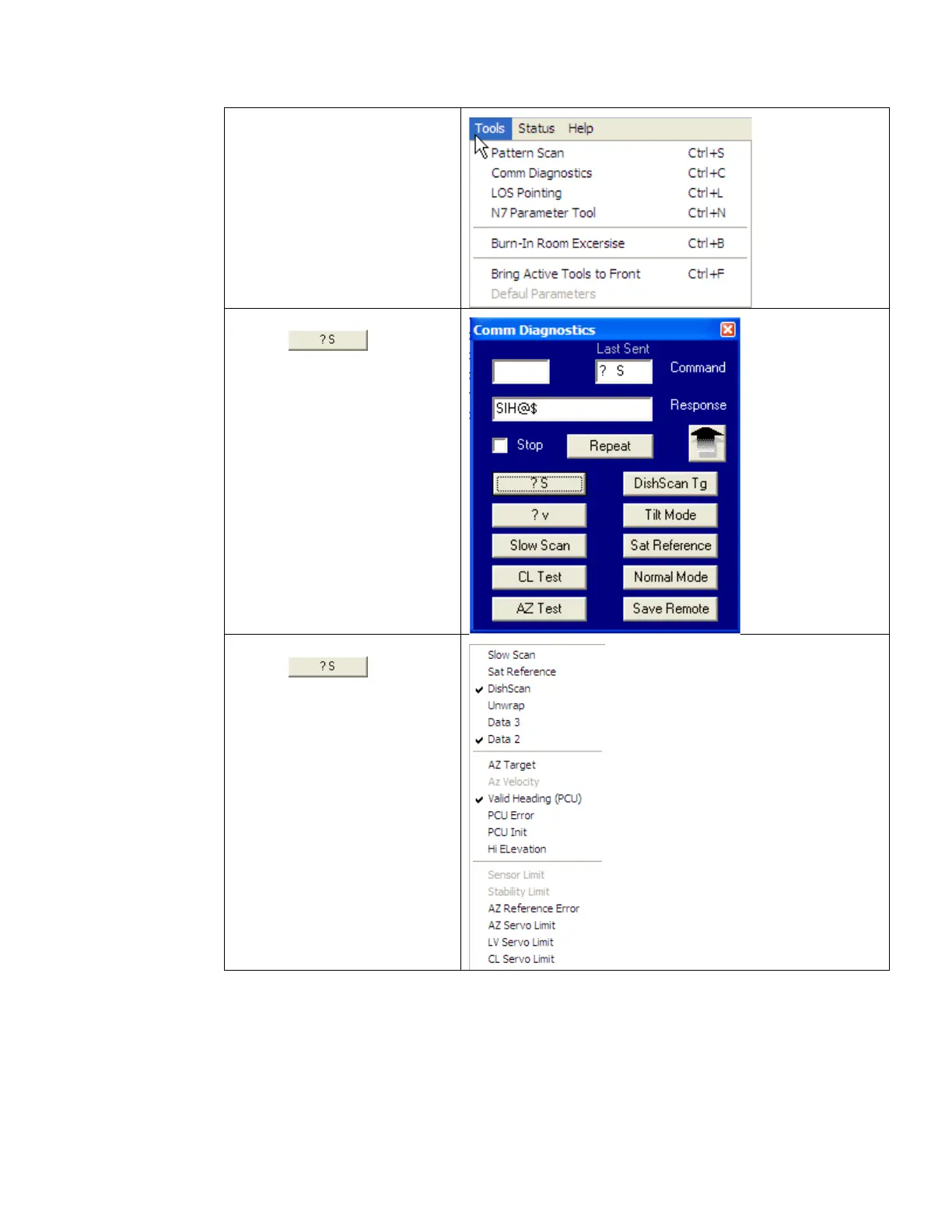
1. Select the “Comm
Diagnostics” window
under to the Tools
submenu or Press “CTRL +
C”
2. Left mouse click on the
icon.
3. Right mouse click on the
icon.
This will display a list box with the
status of the above decks pedestal
filtered into 3 sections. Items
preceded with a check marks
indicate a flagged status. See
matrix below for further
information on each state.
EAR Controlled - ECCN EAR99









 To Next Page