ST94-21 C/Ku-Band TVRO Maintenance and Troubleshooting
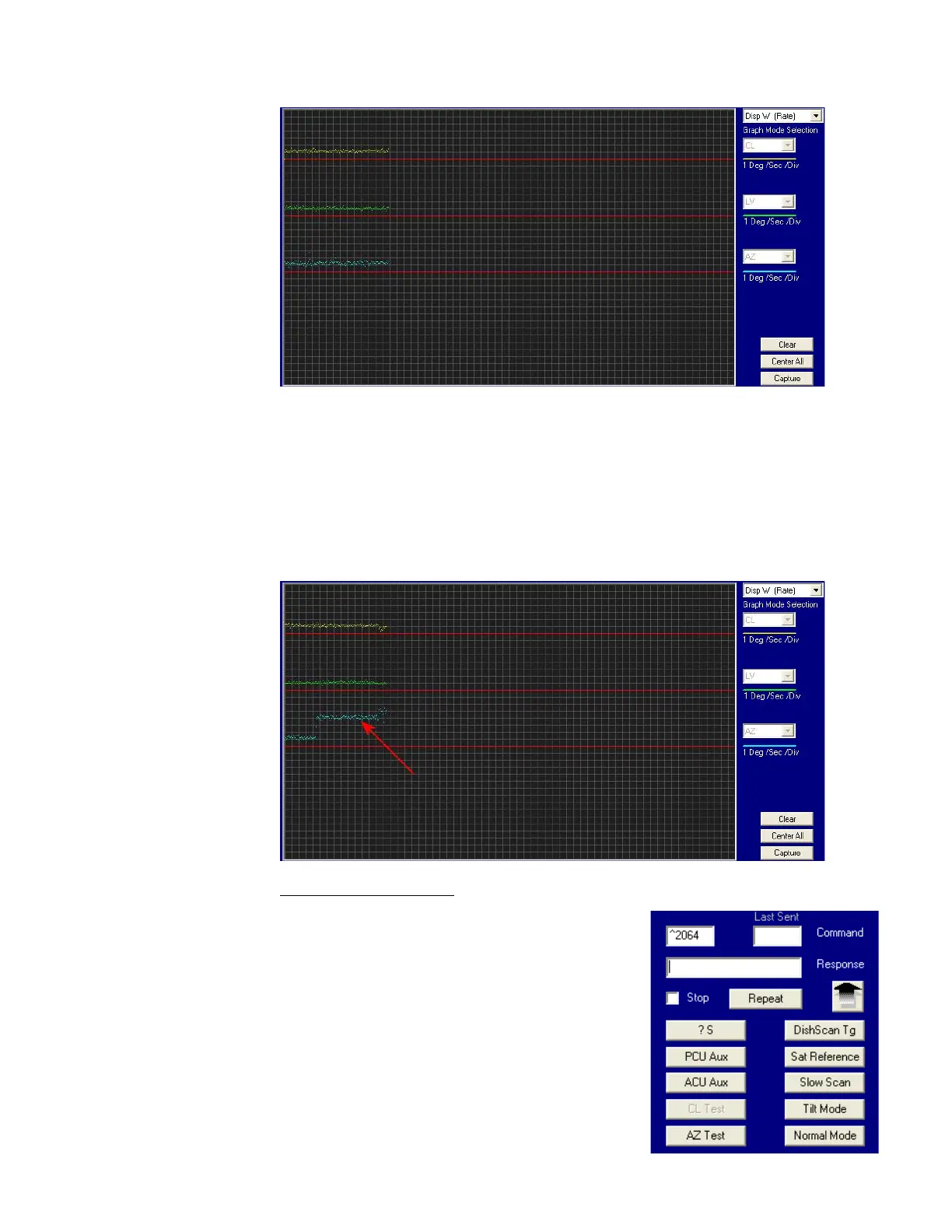
• The Cross Level display should decrease (plots below red line) as the antenna is tilted to the left and
increase (plots above red line) as the antenna tilted to the right.
• The Level display should decrease (plots below red line) as the antenna is tilted forward and increase
(plots above red line) as the antenna is tilted back.
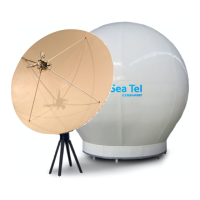
• The Azimuth display should decrease (plots below red line) as the antenna is rotated CCW and
increase (plots above red line) as the antenna is rotated CW. In the example below, the output of
the Azimuth rate sensor is plotted above the reference line, indicating that the antenna was driven
CW in Azimuth. Due to the in-practicality of driving an axis at a consistent rate, verification of rate
sensor output is, for the most part restricted to a positive or negative response of the Level Cage
movement (plotting above or below the red reference line of each axis).
13.7.8. Open Loop Motor Test
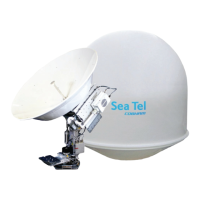
The DacRemP Comm Diagnostics Window provides a means to
enter in Remote Commands for driving each individual torque
motor to test that motors functionality. By driving each axis and
observing the resulting motion of the antenna, a coarse operational
status of the motor and motor driver may be established.
• To manually drive the motors, select the “Comm
Diagnostics” window under to the Tools submenu or
Press “CTRL + C”
• Using the small field in the upper left hand corner of the
window, type in the remote command and verify the
motor appropriately drives in the direction commanded.
EAR Controlled - ECCN EAR99









 To Next Page