Network Settings
Print Server User Manual Windows 33
Configuring IPv4 Parameters via the InterCon-NetTool
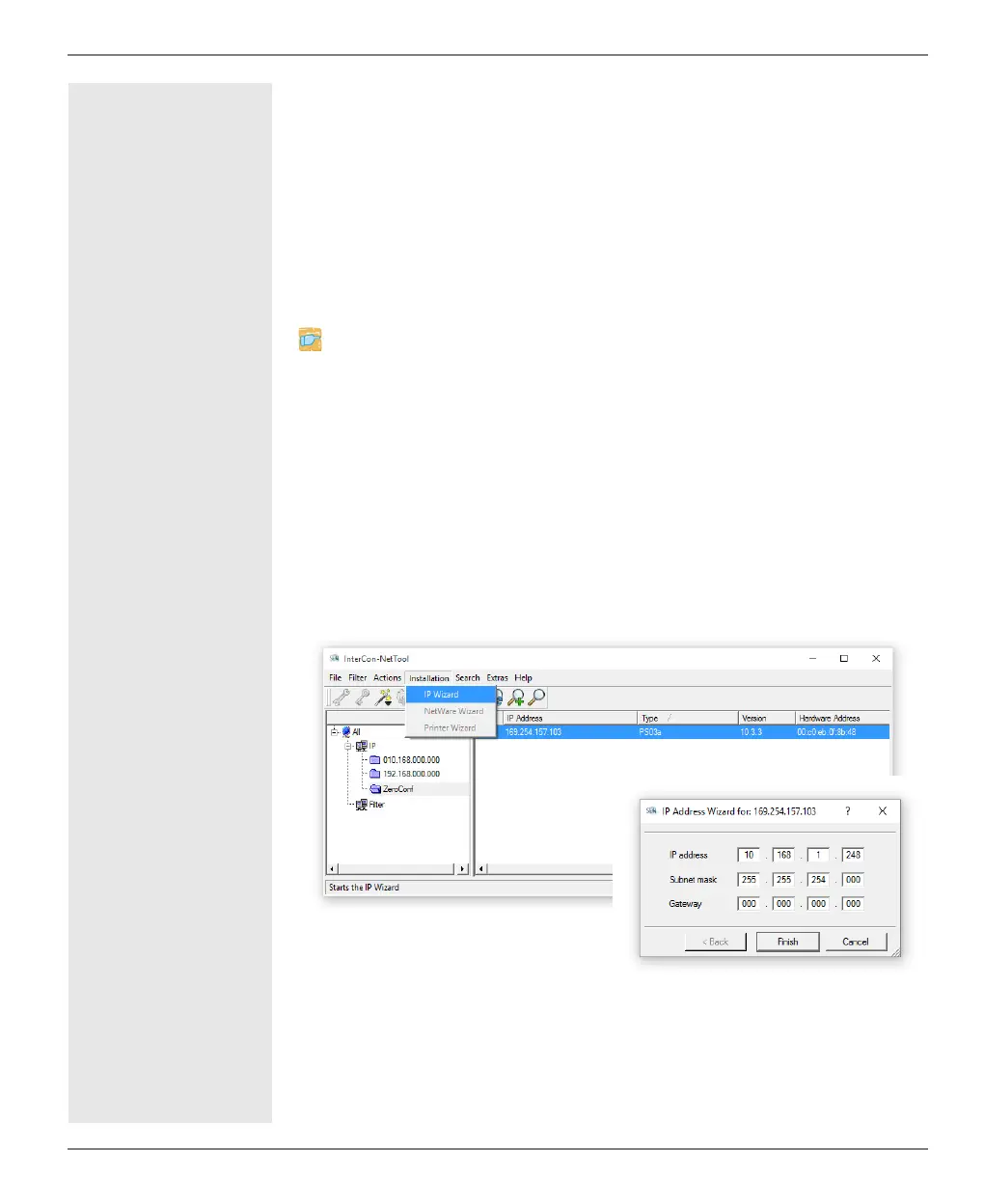
Wizards facilitate the installation and configuration of print servers
via the InterCon-NetTool. You can easily enter the desired IP config-
uration and save it in the print server using the IP Wizard.
Requirements
The InterCon-NetTool is installed on the client, see: 15.
The network scan via Multicast has been enabled in the
InterCon-NetTool.
1. Start the InterCon-NetTool.
2. Select the print server in the device list.
The print server is displayed in the device list under the filter 'ZeroConf' with an
IP address from the address range (169.254.0.0/16) which is reserved for
ZeroConf.
3. Select Installation – IP Wizard.
The IP Wizard is started.
4. Follow the instructions of the Wizard.
The settings are saved.
Fig. 5: InterCon-NetTool - IP Wizard



 To Next Page