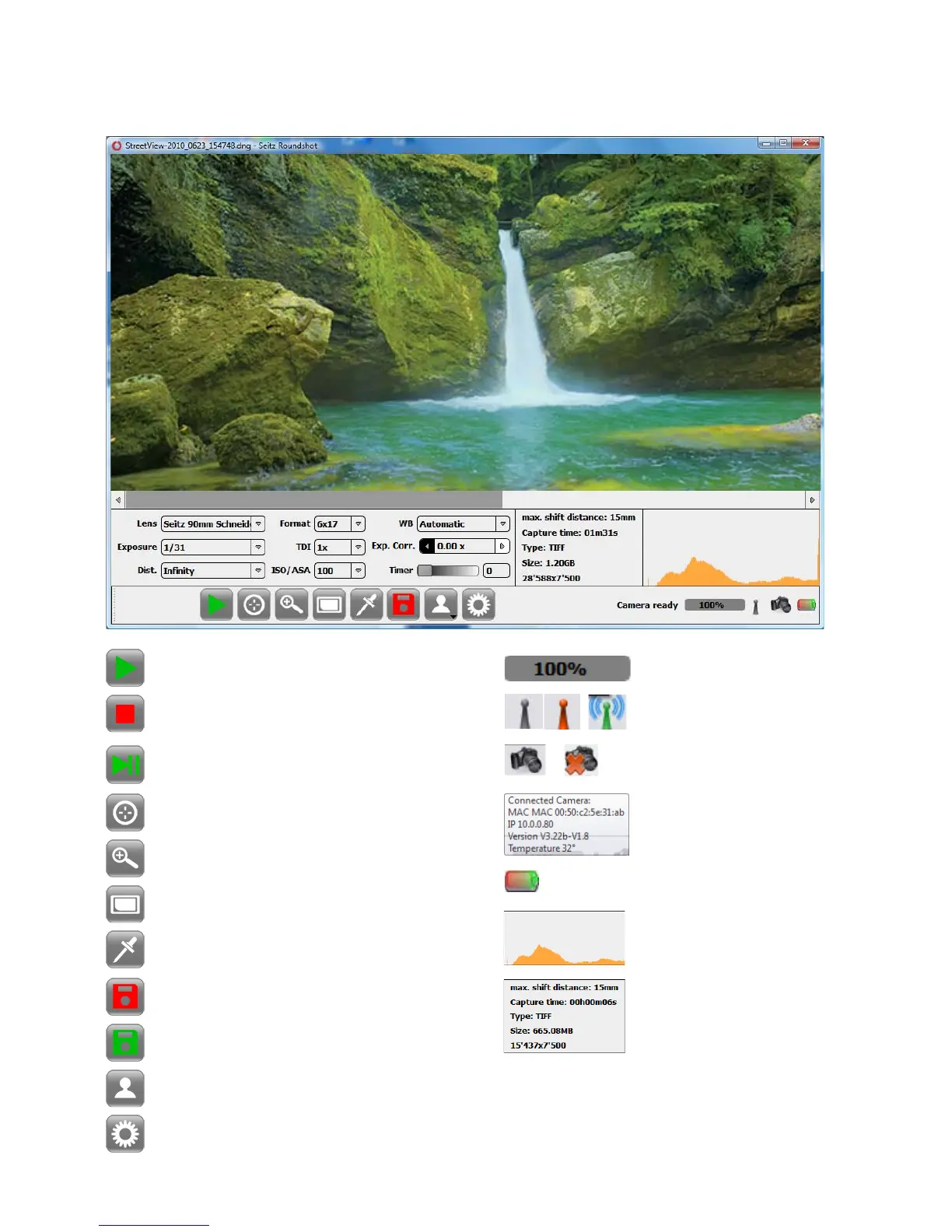
The „Shoot“ menu is controlled using the following buttons and graphical elements:
Start
Focusing Assistant
Zoom
Fit on screen
Save button (not yet saved)
Save button (already saved)
Stop
White balancing pipette
Profile Load/save
Parameter menu open/close
Scan info (max shift
distance, capture
time, file format, file
size, image pixel size)
Progress bar
GPS status symbol
Camera connection tool
Battery status
Image histogram
Camera connection
displayed on „mouse over“
Resume after pause
Instruction Manual Seitz 6x17 Digital - version 4.05 - May 2013- © by Seitz Phototechnik AG / Switzerland www.roundshot.ch page 22



 To Next Page