30K Motorcycle Bluetooth Communication System with Mesh Intercom™
| 42
MENU
7. MESH INTERCOM
What is Mesh
Intercom?
Starting Mesh
Intercom
Using the
Mesh in Open
Mesh
Using Mesh in
Group Mesh
Enable/
Disable Mic
Toggling
Open Mesh/
Group Mesh
Mesh Reach-
Out Request
Reset Mesh
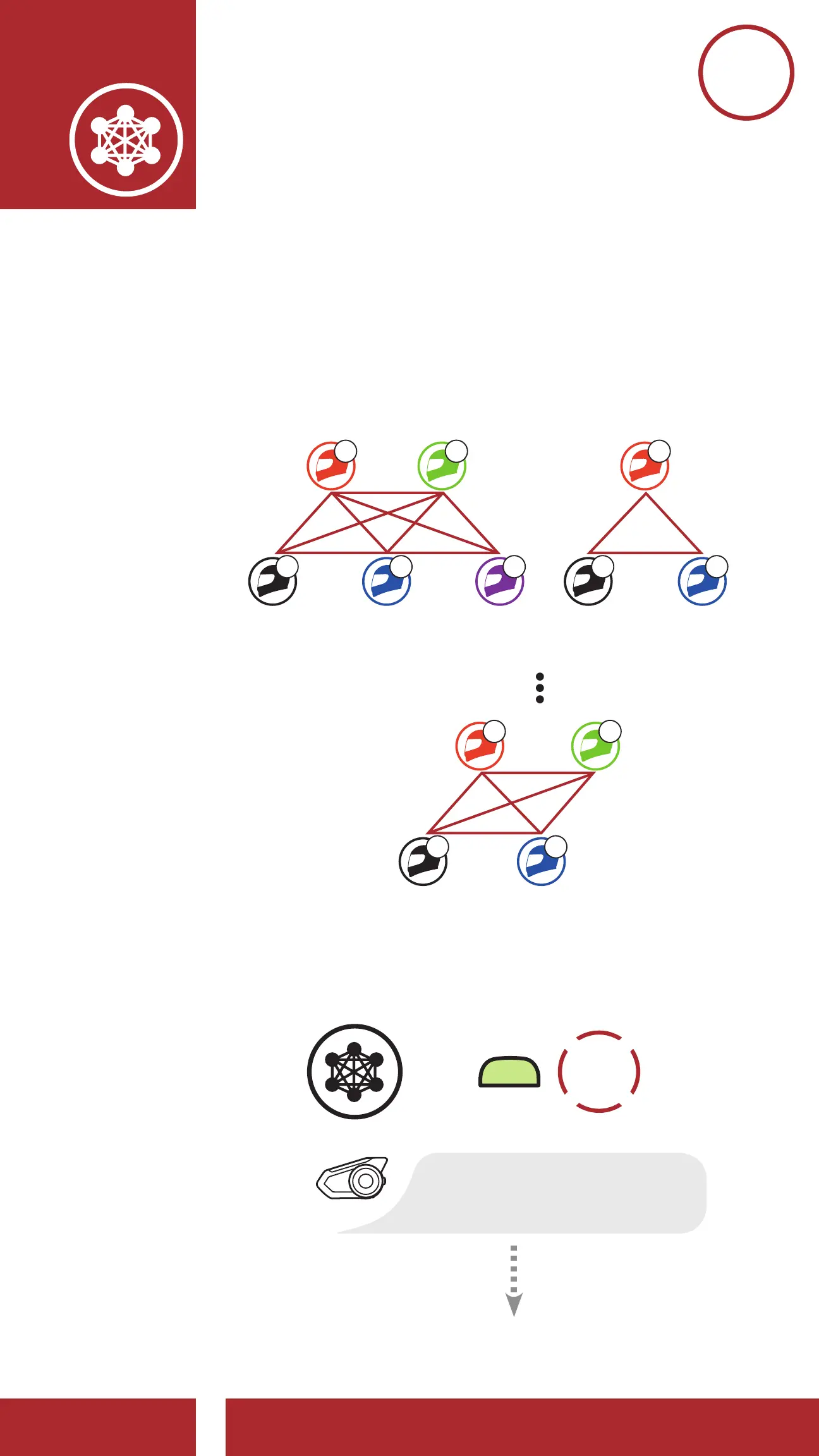
7.3.1 Channel Setting (Default: channel 1)
If the Open Mesh communication
experiences interference because other
groups are also using channel 1 (default),
change the channel. You can select from
channels 1 to 9.
Channel 1 Channel 2
B
A C E A C
D B
Channel 9
A C
B D
Enter into the Channel Setting
=
M
2x
TAP
“Channel setting, 1”



 To Next Page