8 BLUETOOTH INTERCOM
SRL3 Motorcycle Communication System for Shoei Comlink | 40
8.4.2 Starting a Four-Way Intercom Conference
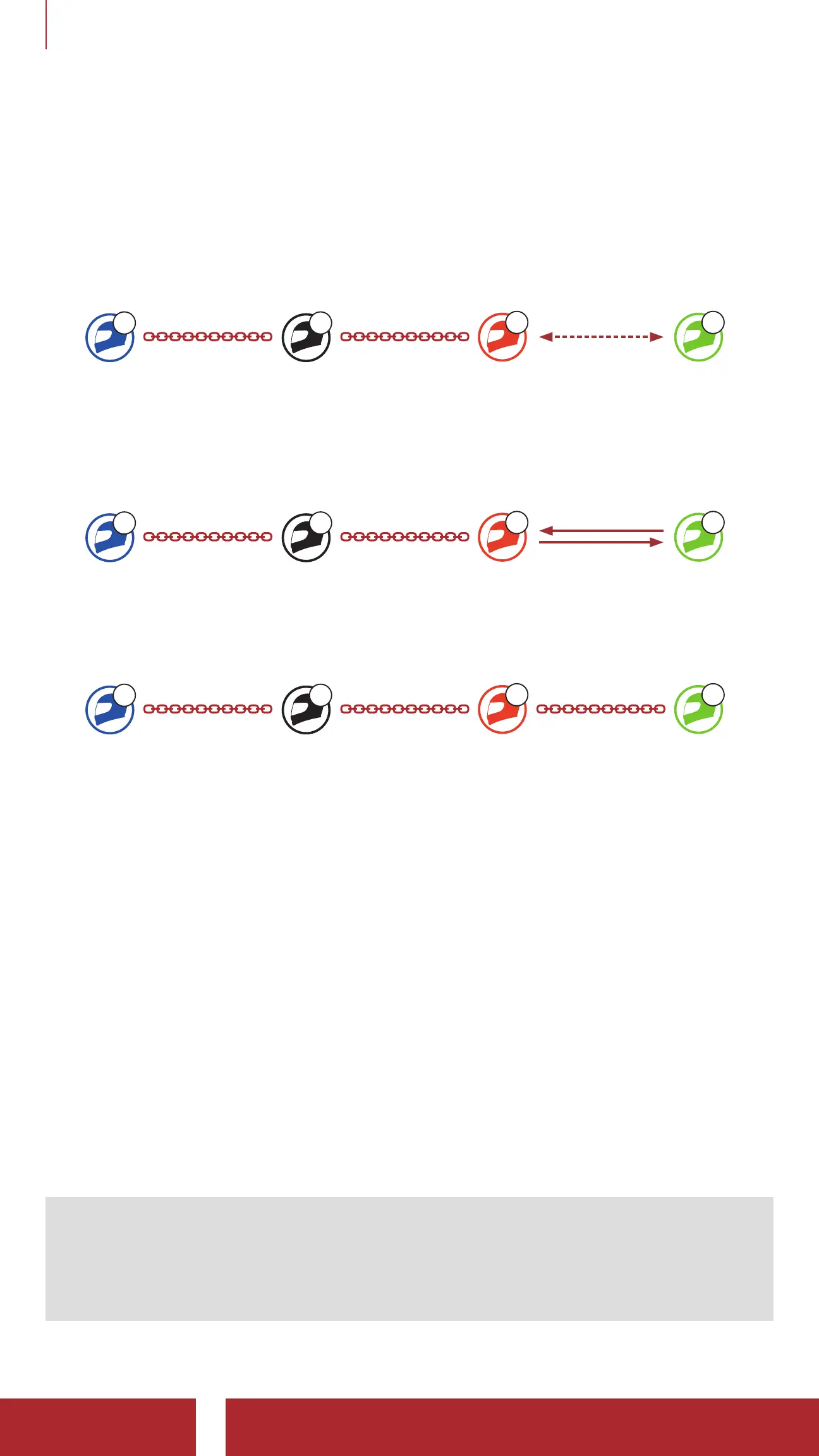
With three Intercom Friends connected, a new participant (D) can
make it a Four-Way Intercom Conference by making an intercom call
to either (B) or (C).
1. Intercom friend (B) needs to be paired with a new participant (D).
A
YOU
C
Intercom
Friend1
B
Intercom
Friend2
D
Participant
2. Intercom friend (B) can call a new participant (D) by tapping the
Center Button, or a new participant (D) may join the intercom by
making an intercom call to Intercom friend (B).
A
YOU
C
Intercom
Friend1
B
Intercom
Friend2
D
Participant
3. Now you (A), two Intercom Friends (B and C), and a new
participant (D) are having a Four-Way Intercom Conference.
A
YOU
C
Intercom
Friend1
B
Intercom
Friend2
D
Participant
8.4.3 Ending Multi-Way Intercom
You can completely terminate the conference intercom or just
disconnect an intercom connection with one of your active Intercom
Friends.
Terminate All Intercom Connections
• Press and hold the Center Button for 3 seconds.
Disconnect the Intercom Connection with One of the Intercom
Friends
• Disconnect (C): Tap the Center Button.
• Disconnect (B) & (D): Double tap the Center Button.
Note: When you disconnect the second friend (B), you will be
disconnected with the third participant (D) as well. This is because
the third participant (D) is connected with you via the second friend
(B).



 To Next Page