10
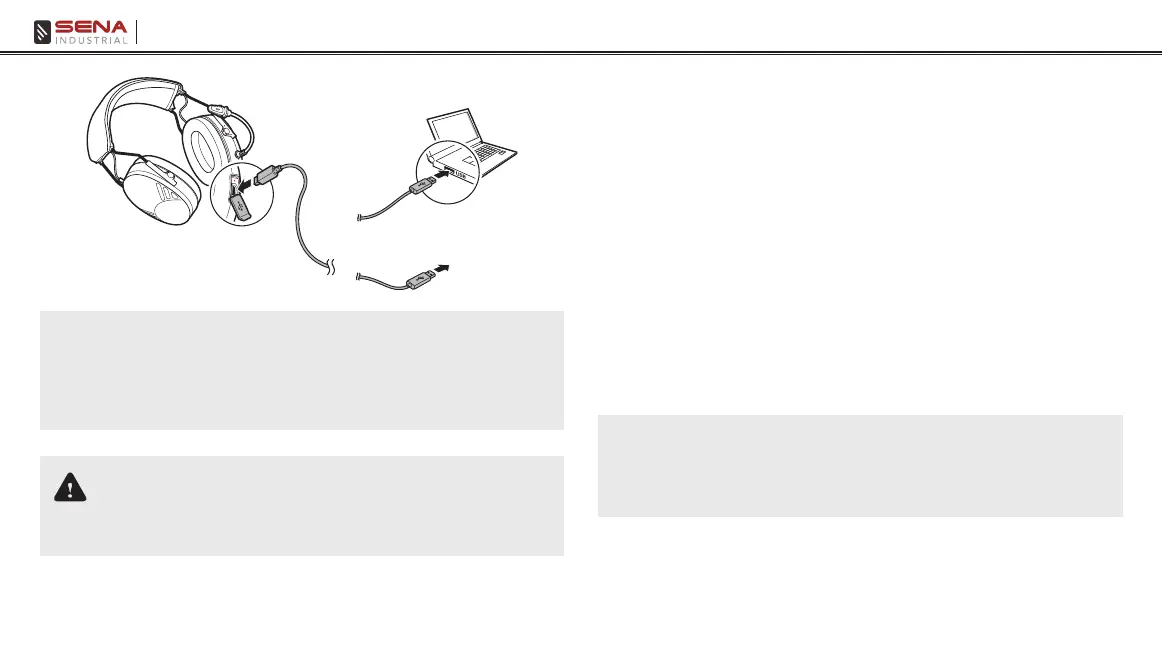
Tufftalk Lite
or
AC Adapter
Note:
• Any 3rd party USB charger can be used with Sena products if the
charger is approved by either the FCC, CE, IC or other locally approved
agencies that Sena accepts.
• The Tufftalk Lite is compatible with 5 V input USB-charged devices only.
CAUTION
Please make sure to take off your Tufftalk Lite while charging. The headset
automatically turns off during charging.
3.5 Low Battery Warning
When the battery is low, the blinking blue LED in stand-by mode turns
to red and you will hear a voice prompt, “Low battery”.
3.6 Checking the Battery Level
You can check the battery level in two different ways when the headset
is powering on.
3.6.1 LED Indicator
When the headset is powering on, the red LED ashes rapidly
indicating the battery level.
4 ashes = High, 70 ~ 100%
3 ashes = Medium, 30 ~ 70%
2 ashes = Low, 0 ~ 30%
Note:
• The battery performance may be reduced over time with usage.
• Battery life may vary depending on conditions, environmental factors,
functions of the product in use, and devices used with it.



 To Next Page