EM-XSW 1 rack receiver
39
Setting options on the rear of the device
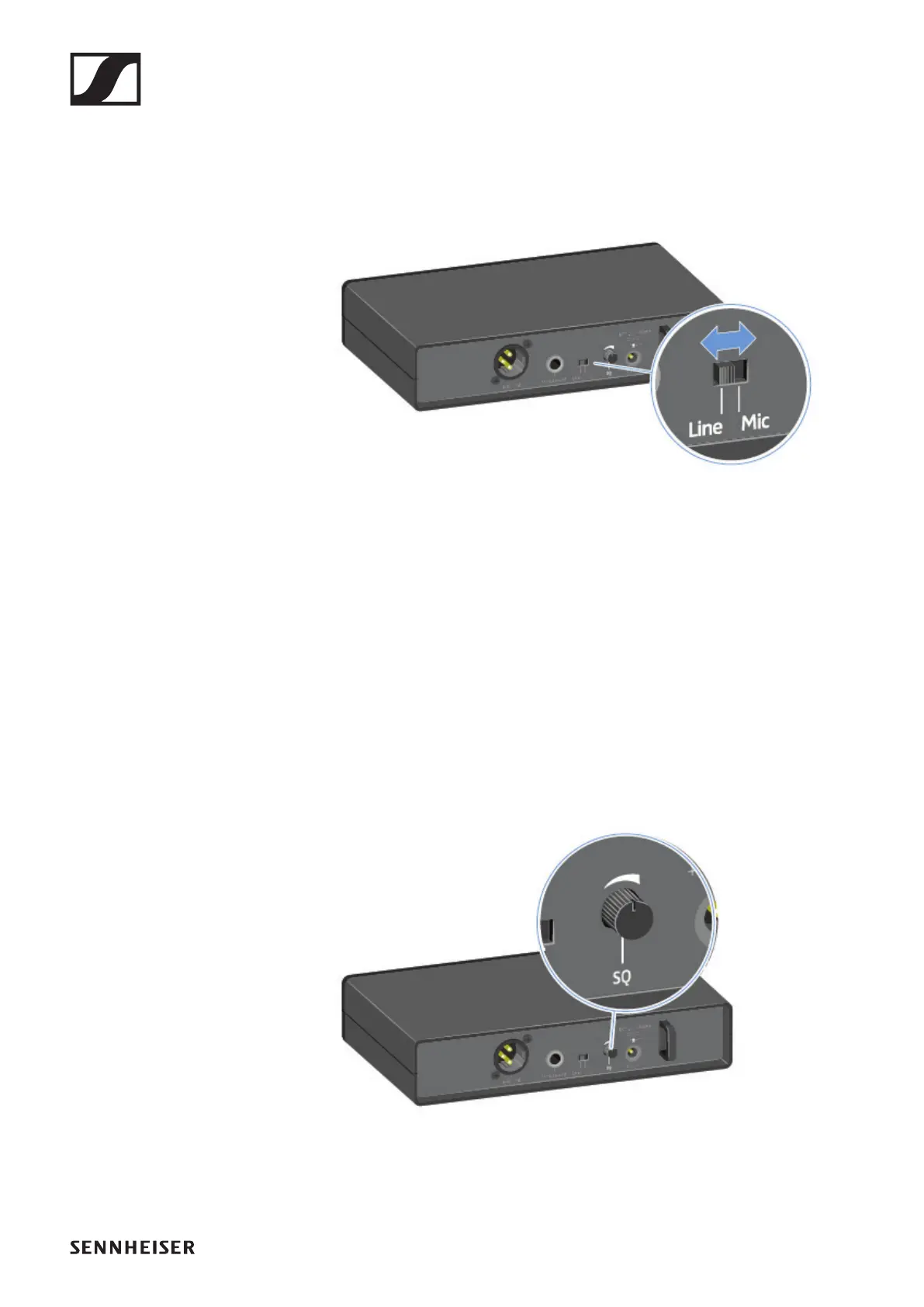
Selecting the signal type (Mic/Line)
▷ Set the Line/Mic switch to the desired position.
• Line: when using instruments or other line sources with
the SK-XSW bodypack transmitter
• Mic: when using the SKM-XSW handheld transmitter or a
microphone with the SK-XSW bodypack transmitter
Setting the squelch
The squelch function can be used to suppress disturbing noise
during transmission, such as hiss. If the signal level is below
the squelch threshold, the signal is muted.
If the squelch threshold is set very high, this will shorten the
radio range.
▷ Turn the control knob to the left or right to adjust the
squelch.












 To Next Page