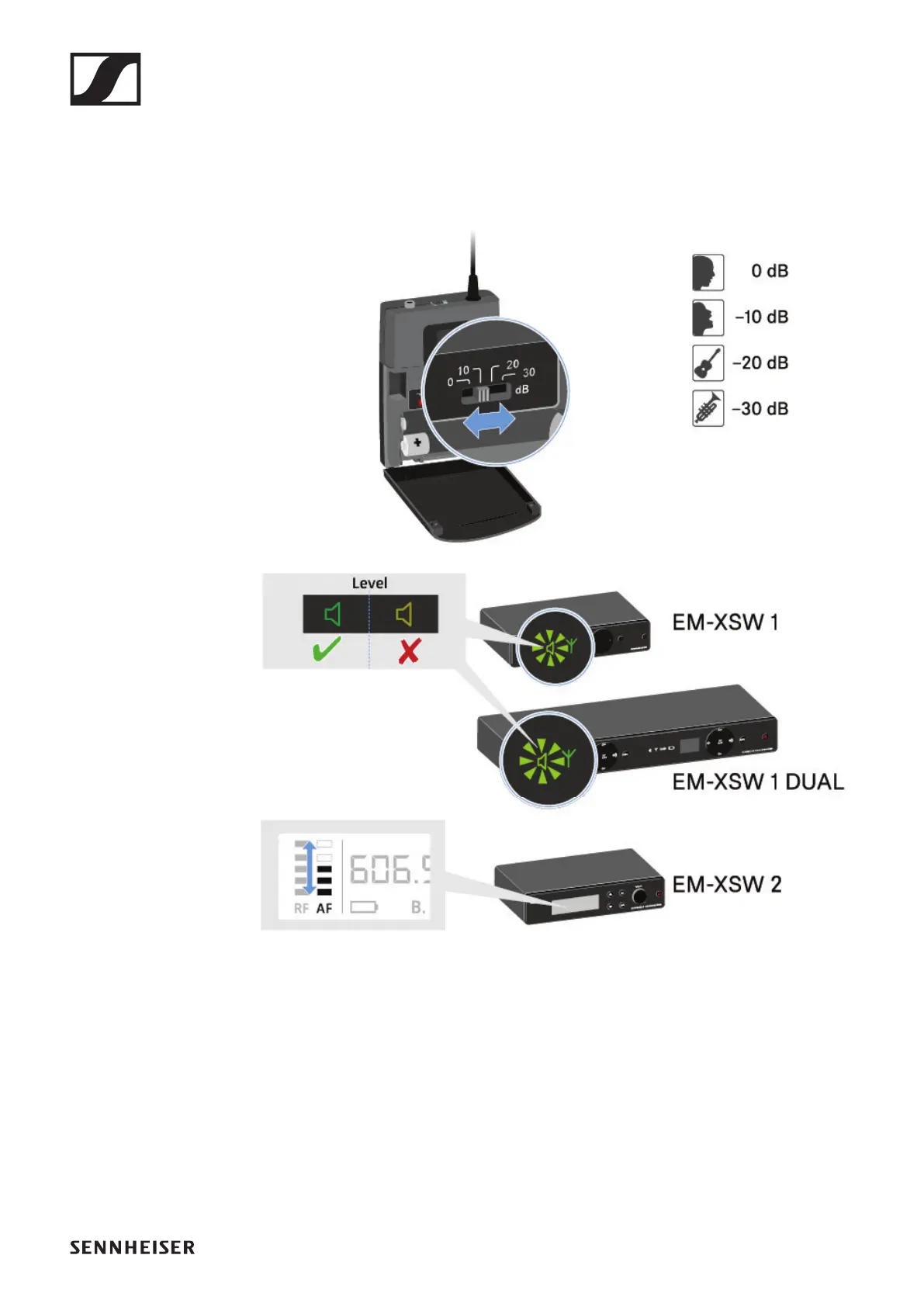
SK-XSW bodypack transmitter
88
Setting the input sensitivity
Use the Sensitivity switch to adjust the level of the audio sig-
nal sent to the receiver.
▷ Press the two catches and open the battery compartment
cover.
▷ Adjust the input sensitivity using the Sensitivity switch.
▷ Pay attention to the level indicator on the receiver display.












 To Next Page