Handheld transmitters SKM 825-XSW | SKM 835-XSW | SKM 865-XSW
79
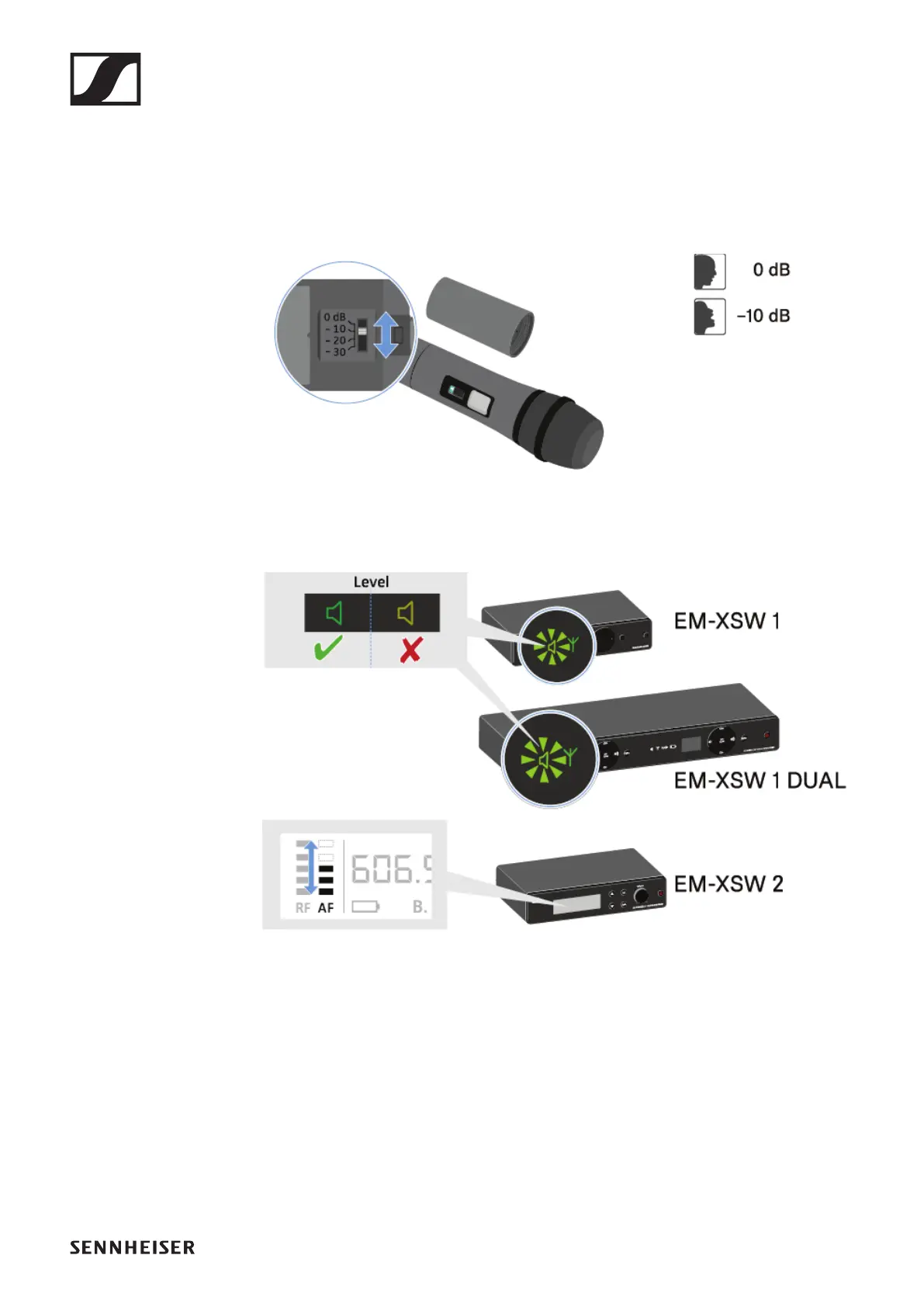
Setting the input sensitivity
Use the Sensitivity switch to adjust the level of the audio sig-
nal sent to the receiver.
▷ Unscrew the microphone housing and pull it downward.
▷ Adjust the input sensitivity using the Sensitivity switch.
▷ Pay attention to the level indicator on the receiver display.












 To Next Page