Io
SENSOR
Section 4 RF/ID Tag Reader
SMT-200 Operations and Technical Manual 2.00/R1
55
In this form you can choose from three buttons:
With Down/Upload, the unsorted tag list is downloaded to the PC and stored as ‘Tag.txt’ in the
\SMT200\TAGS directory. After this, the tag list is removed from the SMT-200 and the converted file is
uploaded and stored as the tag list in the SMT-200.
The file ‘Tag.txt’ can be renamed by the user if the ‘old’ tags must be saved.
By pressing the Upload button, the tag list is removed from the SMT-200 and the converted file is
uploaded and stored as the tag list in the SMT-200.
Cancel quits the form without any further action.
4.4.3 View the tag list on the SMT-200
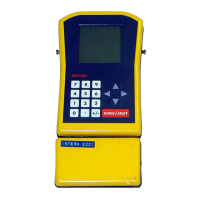
From the Main menu select
Tag menu..., then Tag list. An
overview of tags and
corresponding string numbers is
displayed. In the first section the
sorted part of the list is displayed.
Using the up and down arrows to
scroll through the page. When
you reach the end of the sorted
list you can go to the unsorted
part by pressing the down arrow.
In the top line of the screen
sorted or unsorted list is
displayed. With the left and right
arrow you can step between the
start of the sorted and unsorted
list and to the end of the list.
When you type a number, the SMT-200 searches in the sorted list for the first tag that is equal or
greater. You can remove the last digit with the left arrow. Leave this option by pressing the right arrow.
Press the up or down arrow if you want to leave this option and immediately scroll a page. If there is
no sorted tag list the beginning of the unsorted list is shown.
Press a 0 to quit this menu item. If you are entering a tag ID the 0 does not quit the menu item but
adds a 0 to the tag ID, you can use the . instead.
4.4.4 View the tag list on the PC
The tag list is stored as a text file, and can easily be opened by a spreadsheet program or a text
editor. From the Docking Station program select the menu item File, View File...
Empty taglist
----------------
----------------
Use digits and
arrows to scroll
0 Back to Tag
Sorted taglist
----------------
- 1000001779850
872
- 1000001780592
427
- 1000001781942
168
----------------
Use digits and
arrows to scroll
0 Back to Tag
Unsorted taglist
----------------
- 1000001781715
781
- 1000001779999
583
----------------
Use digits and
arrows to scroll
0 Back to Tag


 To Next Page