PRODUCT INSTRUCTION MANUAL
Page 3 of 29
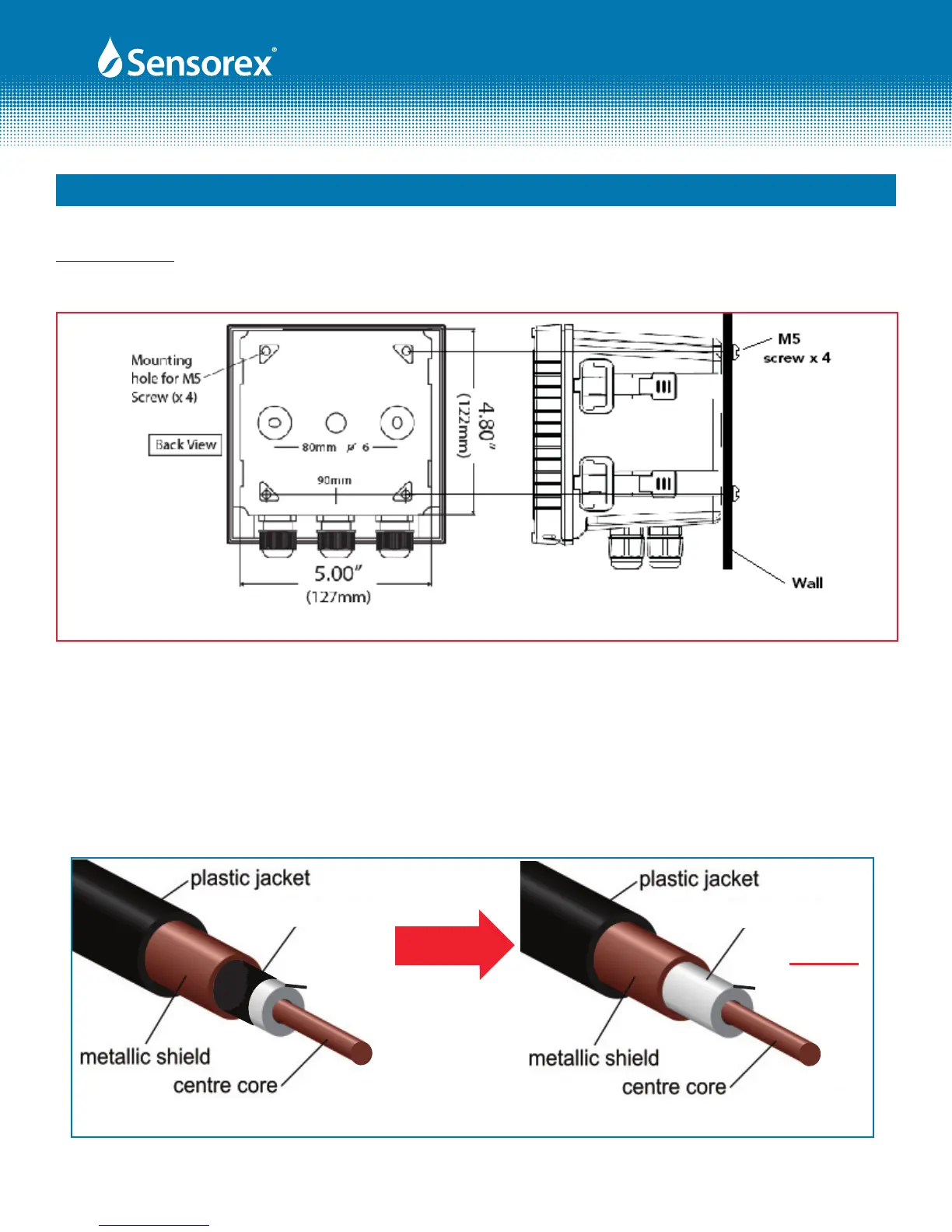
FIG 3-2
Wall Mounting: Use 4 each M5 screws to attached to mounting holes shown below.
FIG 3-3
clear cover
black noise
reduction
layer
clear cover
black noise
reduction
layer removed
3.2 Coaxial Cable Preparation: Cut coaxial cable plastic jacket o. This will reveal the braided shield wire.
Twist the braid together to reveal black noise reducing layer. Remove the black noise reducing layer even
to the braid (See Fig 3-3). Cut some of clear layer away to expose copper center core.
Part 3 Assembly and Installation (cont.)
Form: INSTRTX3000-Rev A
Wall Mounting



 To Next Page