3-6 Programming
WRMTM-40001 iPERL Water Management System Technical Manual
7. Click the OK button.
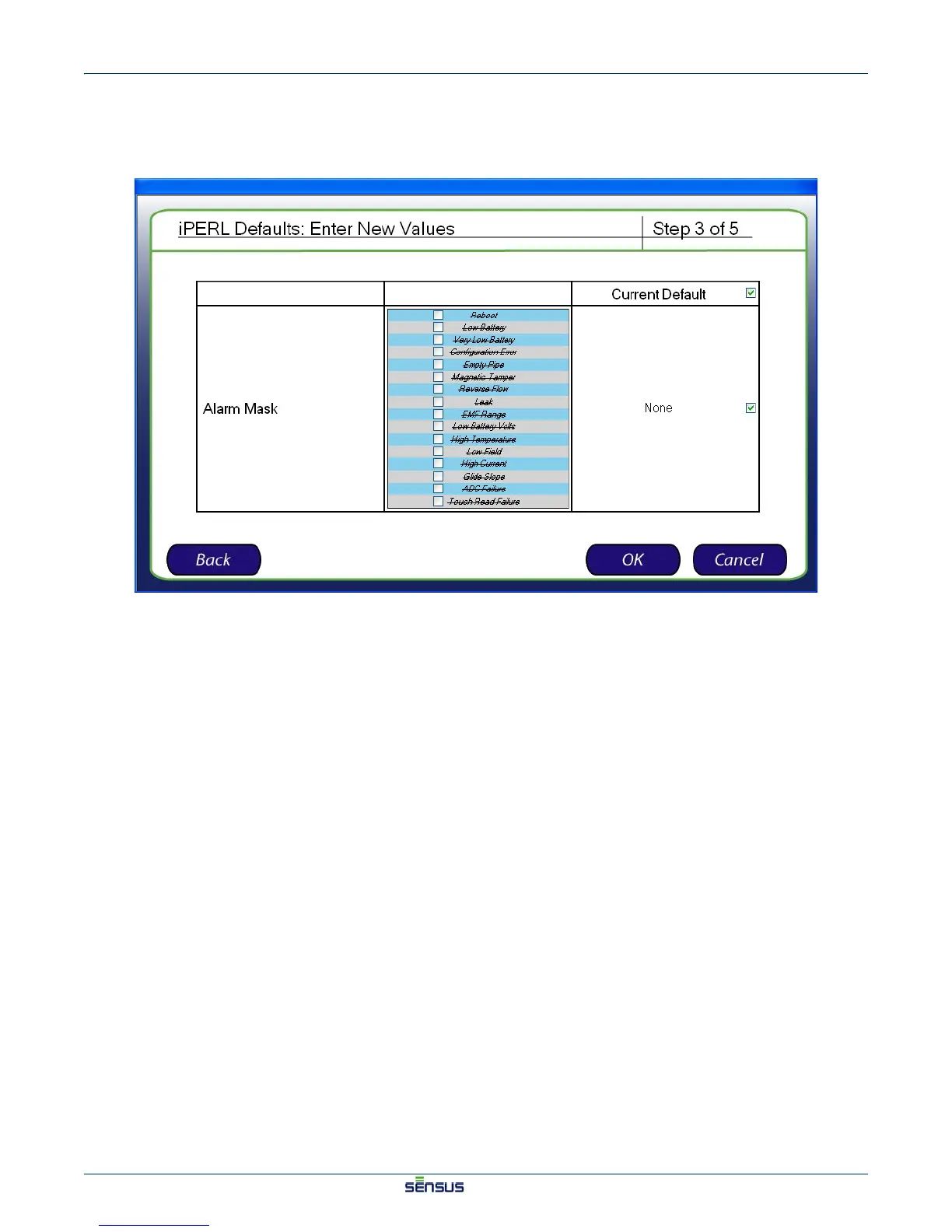
The Enter New Values (Step 3) screen appears, as shown in Figure 3-5.
Figure 3-5: Enter New Values (Step 3) Screen
8. In the Alarm Mask row, designate a new alarm, or check the checkbox in the Current Default
column to use the current default setting


 To Next Page
 Loading...