Programming 3-7
iPERL Water Management System Technical Manual WRMTM-40001
9. Click the OK button.
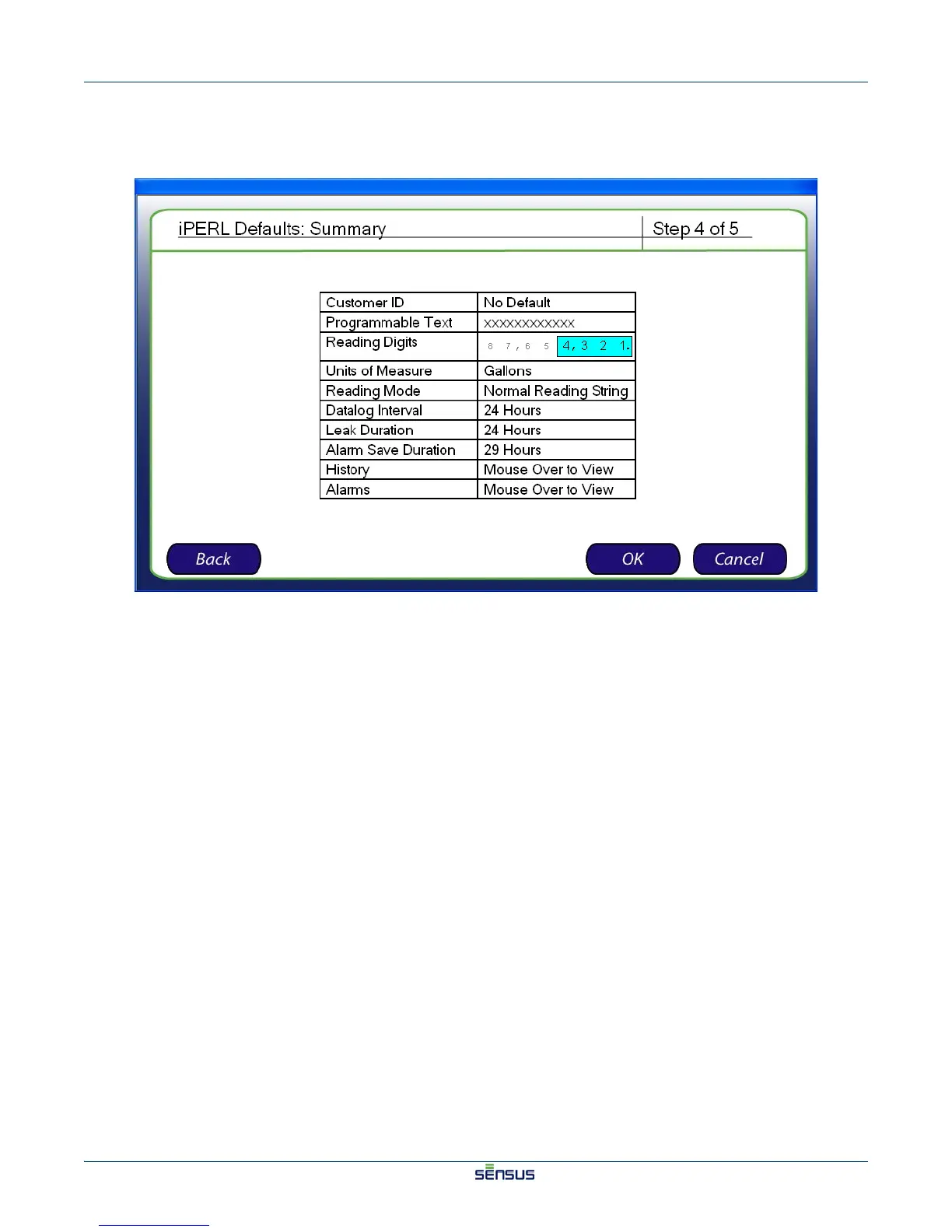
The Summary screen appears, as shown in Figure 3-6.
Figure 3-6: Summary Screen
10. Review the defaults listed in the table.
11. Click the OK button to continue, or click the Back button to make changes to the default selections.
The Finished screen appears, validating that the default settings have been saved.
12. Click the OK button to finish setting the defaults.


 To Next Page
 Loading...