Programming 3-9
iPERL Water Management System Technical Manual WRMTM-40001
2. Click the OK button next to the Perform Programming option.
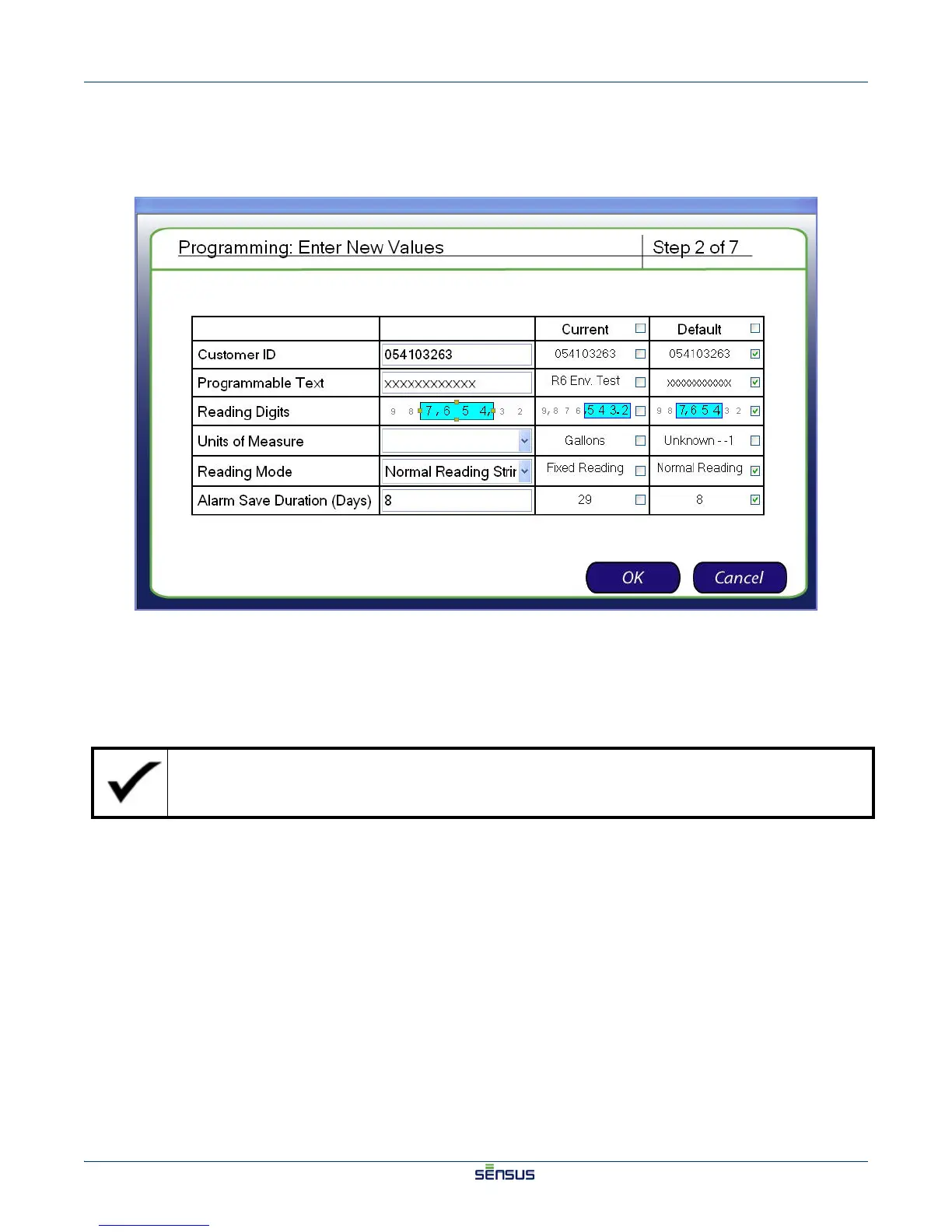
The Enter New Values (Step 2) screen appears after the system values are read, as shown in
Figure 3-8.
Figure 3-8: Enter New Values (Step 2) Screen
3. For each meter parameter, designate a new parameter, check the checkbox in the Current column
to use the current setting, or check the checkbox in the Default column to use the saved default
setting.
If you choose Fixed Reading String for the Reading Mode parameter, the customer ID must be 8
digits long and only include alphanumeric characters.

 To Next Page
 Loading...