3-10 Programming
WRMTM-40001 iPERL Water Management System Technical Manual
4. Click the OK button to continue.
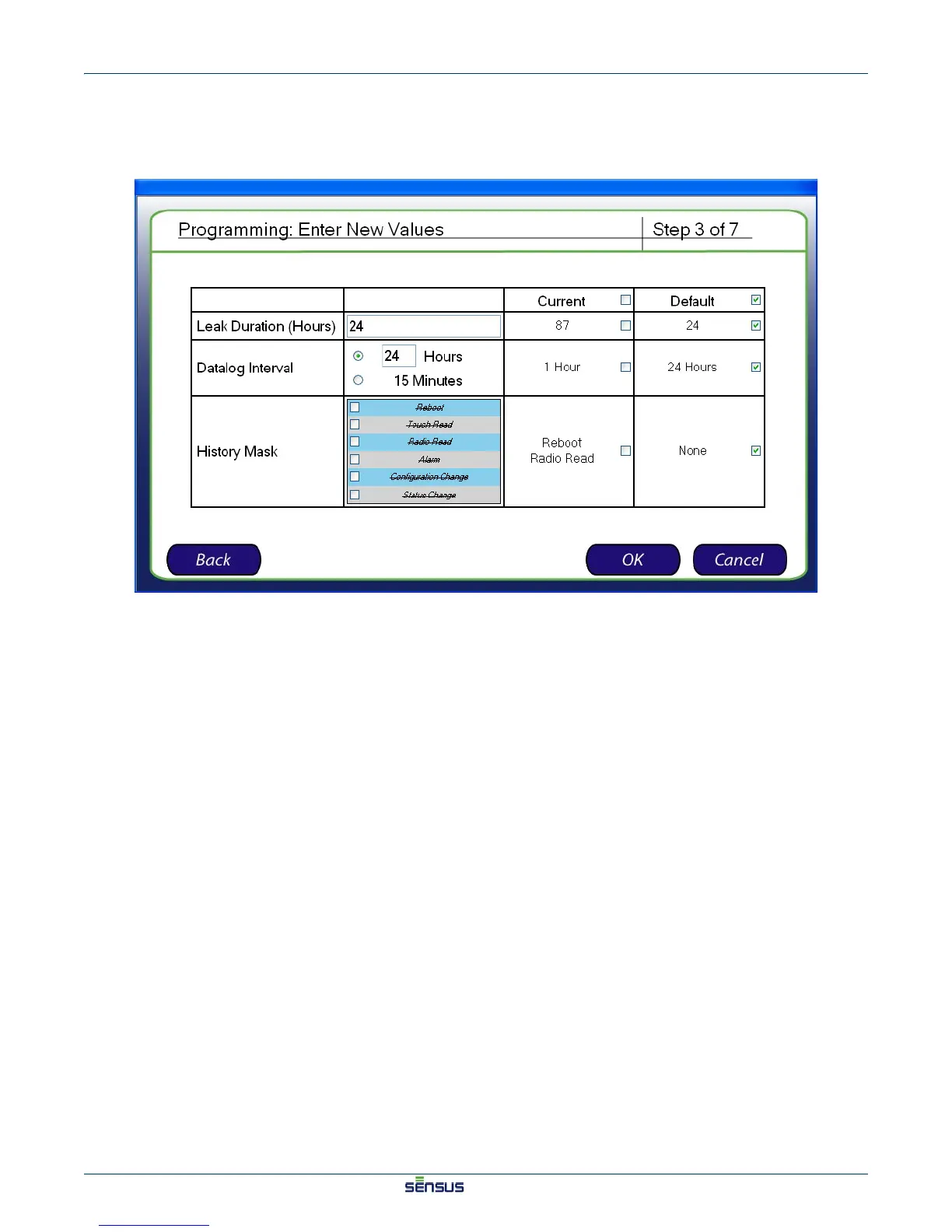
The Enter New Values (Step 3) screen appears, as shown in Figure 3-9.
Figure 3-9: Enter New Values (Step 3) Screen
5. For each system parameter, designate a new parameter, check the checkbox in the Current column
to use the current setting, or check the checkbox in the Default column to use the saved default
setting.


 To Next Page
 Loading...