EasyManua.ls Logo

Sequential prophet 5 - Pc84 Voice Board Swingout or Removal

Sequential prophet 5
141 pages
Print Icon
To Next Page IconTo Next Page
To Previous Page IconTo Previous Page
Loading...
1-3
PCB
4
VOICE
BOARD
SWINGOUT
OR
REMOVAL
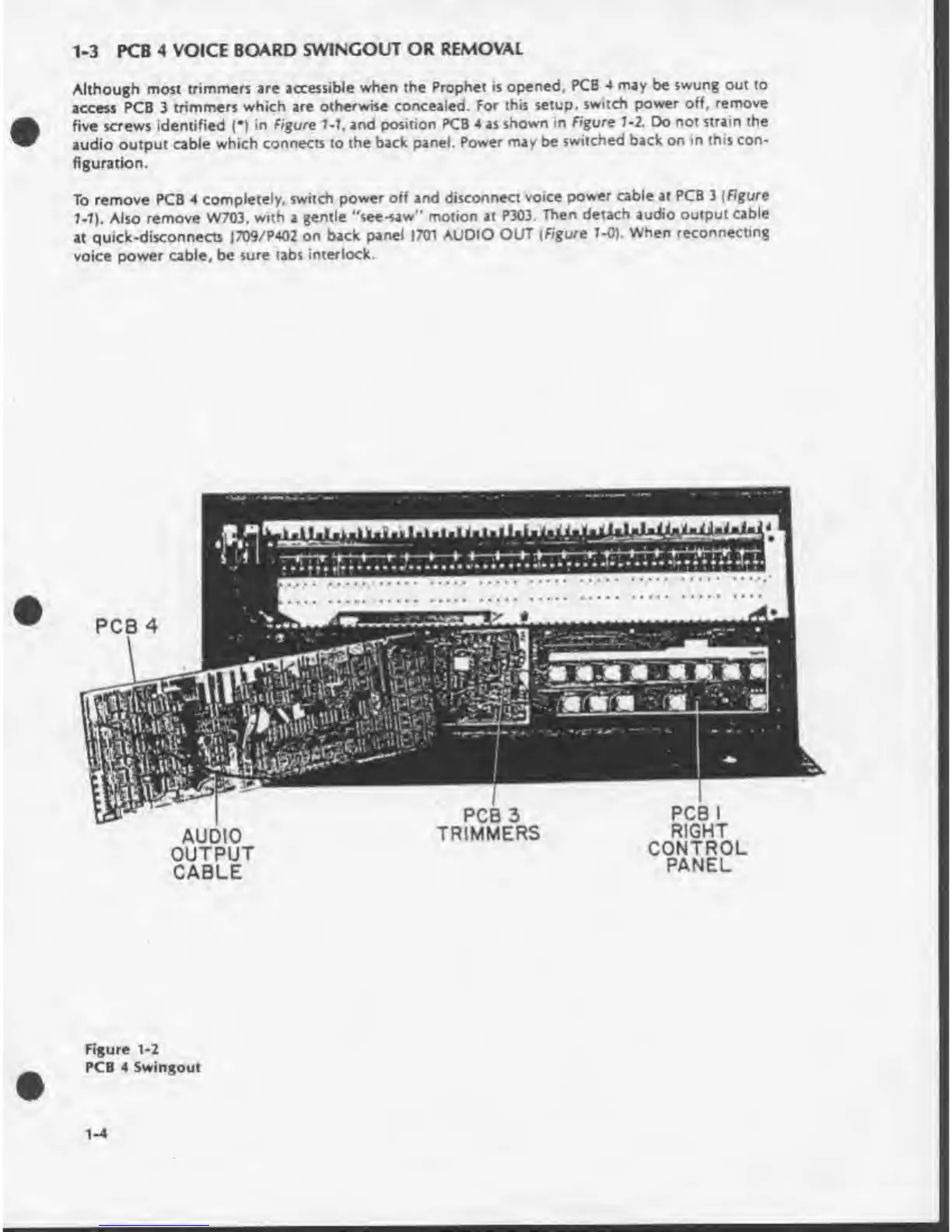
Although
most
trimmers
are
accessible
when
the
Prophet
is
opened,
PCB
4
may
be
swung
out
to
access
PCB
3
trimmers
which
are
otherwise
concealed.
For
this
setup,
switch
power
off.
remove
five
screws
identified
(•)
in
Figure
7-7,
and
position
PCB
4
as
shown
in
Figure
7-2.
Do
not
strain
the
audio
output
cable
which
connects
to
the
back
panel.
Power
may
be
switched
back
on
in
this
con¬
figuration.
To
remove
PCB
4
completely,
switch
power
off
and
disconnect
voice
power
cable
at
PCB
3
(Figure
7-7).
Also
remove
W703.
with
a
gentle
“see-saw”
motion
at
P303.
Then
detach
audio
output
cable
at
quick-disconnects
J709/P402
on
back
panel
1701
AUDIO
OUT
(Figure
7-0).
When
reconnecting
voice
power
cable,
be
sure
tabs
interlock.
PCB
I
RIGHT
CONTROL
PANEL
PCB
3
TRIMMERS
AUDIO
OUTPUT
CABLE
Figure
1-2
PCB
4
Swingout
1-4

Table of Contents

Other manuals for Sequential prophet 5

Related product manuals