EasyManua.ls Logo

Sequential prophet 5 - Keyboard Removal

Sequential prophet 5
141 pages
Print Icon
To Next Page IconTo Next Page
To Previous Page IconTo Previous Page
Loading...
1-7
KEYBOARD
REMOVAL
After
removing
PCBs
3
and
4.
turn
the
top
panel
assembly
over
and
disconnect
W702
{Figure
7-4).
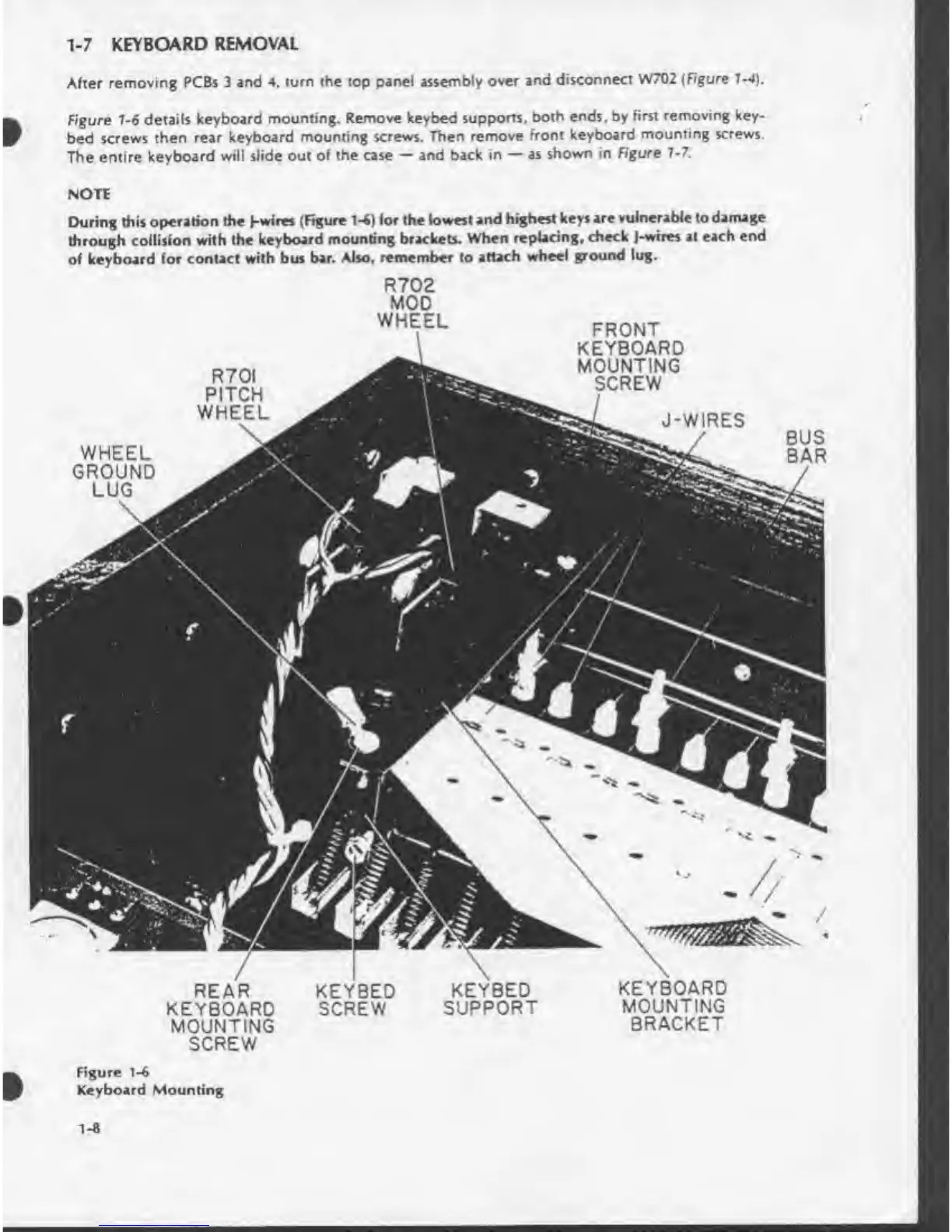
Figure
1-6
details
keyboard
mounting.
Remove
keybed
supports,
both
ends,
by
first
removing
key-
bed
screws
then
rear
keyboard
mounting
screws.
Then
remove
front
keyboard
mounting
screws.
The
entire
keyboard
will
slide
out
of
the
case
and
back
in
as
shown
in
Figure
7-7.
NOTE
During
this
operation
the
)-wires
(Figure
1-6)
for
the
lowest
and
highest
keys
are
vulnerable
to
damage
through
collision
with
the
keyboard
mounting
brackets.
When
replacing,
check
J-wues
at
each
end
of
keyboard
for
contact
with
bus
bar.
Also,
remember
to
attach
wheel
ground
lug.
R702
MOD
WHEEL
FRONT
KEYBOARD
MOUNTING
SCREW
R70I
PITCH
WHEEL
J-WIRES
WHEEL
GROUND
LUG
KEYBOARD
MOUNTING
BRACKET
REAR
KEYBOARD
MOUNTING
SCREW
Figure
1-6
Keyboard
Mounting

Table of Contents

Other manuals for Sequential prophet 5

Related product manuals