EasyManua.ls Logo

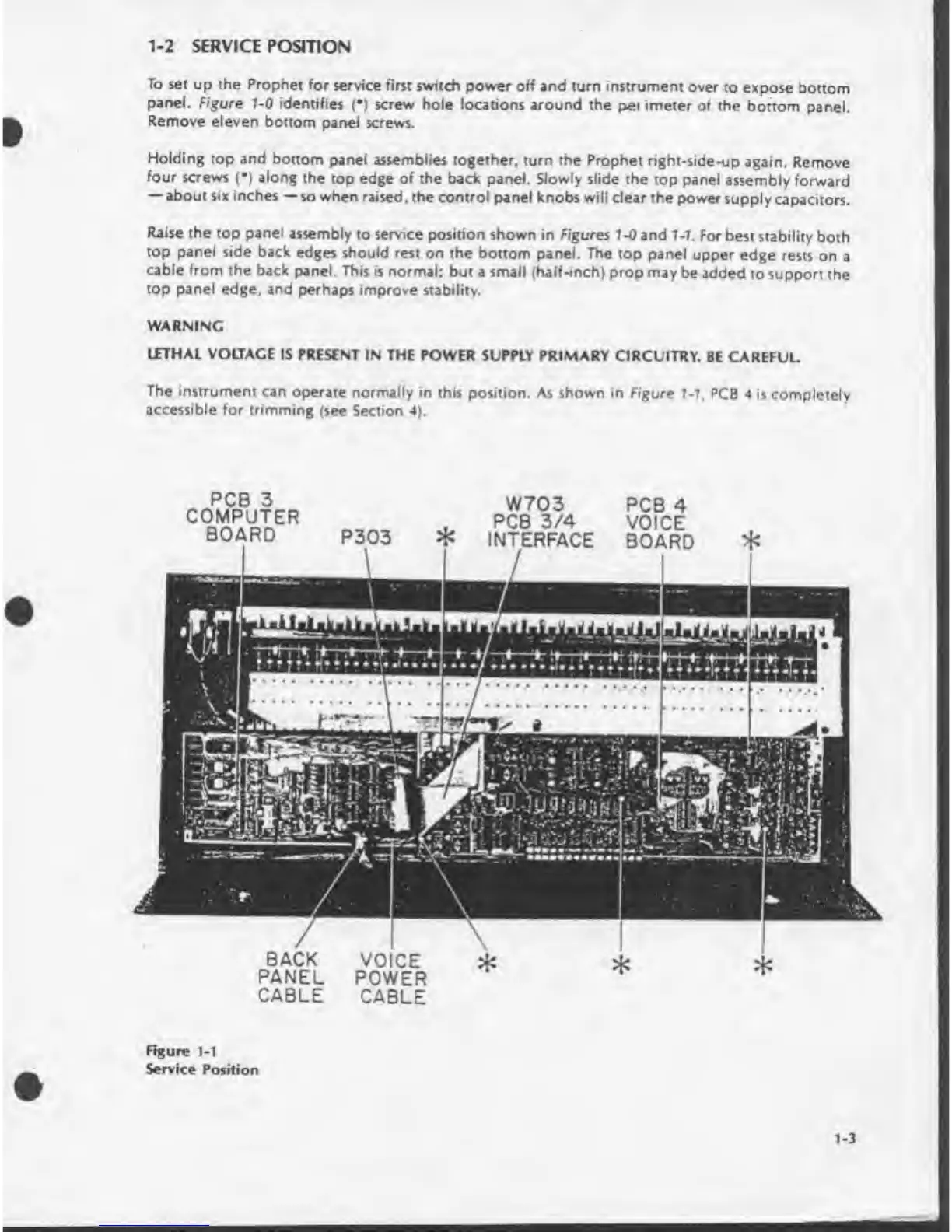
Sequential prophet 5 - Service Position

Sequential prophet 5
141 pages
Print Icon
To Next Page IconTo Next Page
To Previous Page IconTo Previous Page
Loading...
*9
••
9
%
.
•;
TL-:;
ttSJflMWi
PCB
3
COMPUTER
BOARD
W703
PCB
3/4
INTERFACE
PCB
4
VOICE
BOARD
BACK
VOICE
PANEL
POWER
CABLE
CABLE
1-2
SERVICE
POSITION
To
set
up
the
Prophet
for
service
first
switch
power
off
and
turn
instrument
over
to
expose
bottom
panel.
Figure
1-0
identifies
(•)
screw
hole
locations
around
the
per
imeter
of
the
bottom
panel.
Remove
eleven
bottom
panel
screws.
Holding
top
and
bottom
panel
assemblies
together,
turn
the
Prophet
right-side-up
again.
Remove
four
screws
(•)
along
the
top
edge
of
the
back
panel.
Slowly
slide
the
top
panel
assembly
forward
about
six
inches
so
when
raised,
the
control
panel
knobs
will
dear
the
power
supply
capacitors.
Raise
the
top
panel
assembly
to
service
position
shown
in
Figures
1-0
and
1-1.
For
best
stability
both
top
panel
side
back
edges
should
rest
on
the
bottom
panel.
The
top
panel
upper
edge
rests
on
a
cable
from
the
back
panel.
This
is
normal;
but
a
small
(half-inch)
prop
may
be
added
to
support
the
top
panel
edge,
and
perhaps
improve
stability.
WARNING
LETHAL
VOLTAGE
IS
PRESENT
IN
THE
POWER
SUPPLY
PRIMARY
CIRCUITRY.
BE
CAREFUL.
The
instrument
can
operate
normally
in
this
position.
As
shown
in
Figure
7-7,
PCB
4
is
completely
accessible
for
trimming
(see
Section
4).
Figure
1-1
Service
Position

Table of Contents

Other manuals for Sequential prophet 5

Related product manuals