EasyManua.ls Logo

Sequential prophet 5 - Pcb3 Computer Board Removal

Sequential prophet 5
141 pages
Print Icon
To Next Page IconTo Next Page
To Previous Page IconTo Previous Page
Loading...
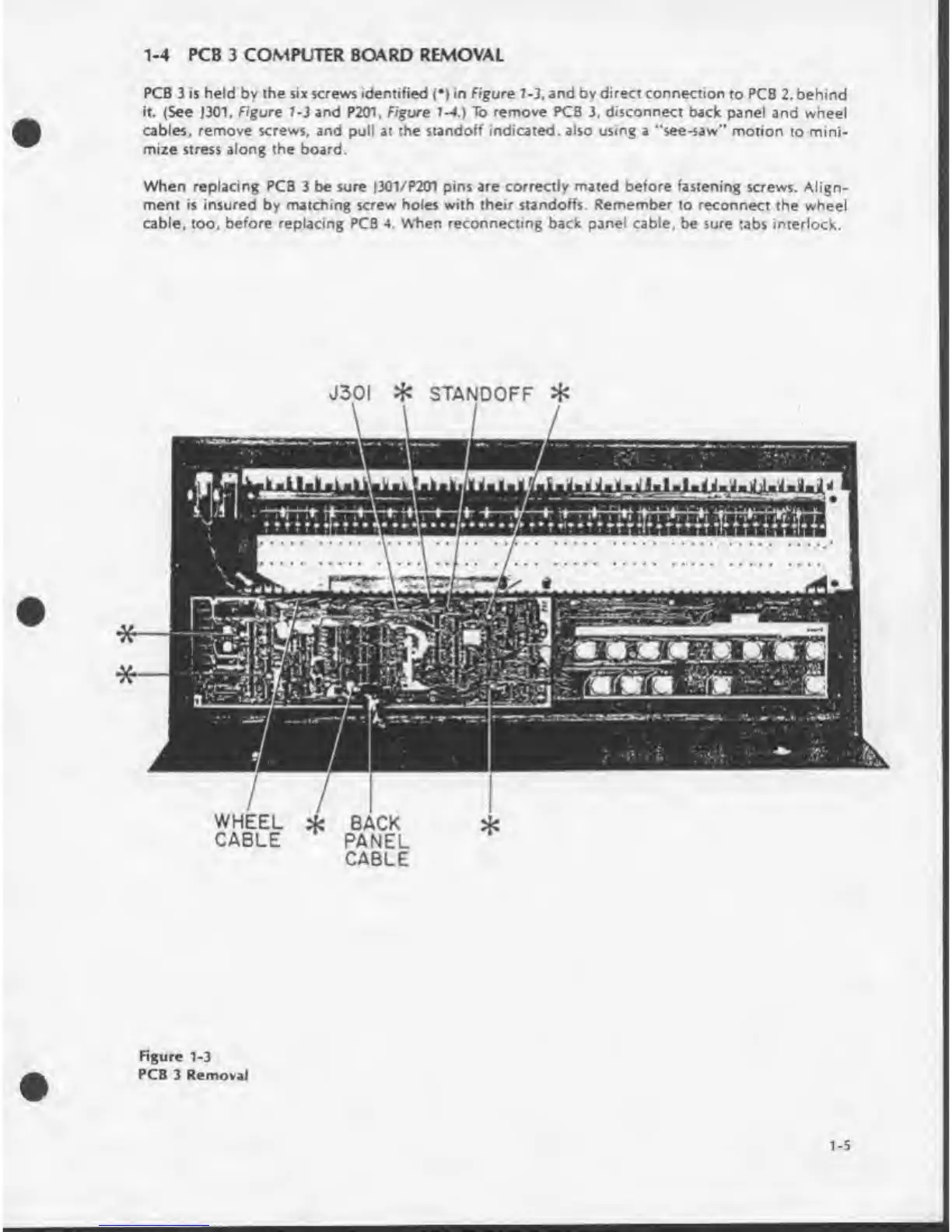
1-4
PCB
3
COMPUTER
BOARD
REMOVAL
PCB
3
is
held
by
the
six
screws
identified
(•)
in
Figure
7-3.
and
by
direct
connection
to
PCB
2.
behind
it.
(See
J301.
Figure
1-3
and
P201,
Figure
1-4.)
To
remove
PCB
3.
disconnect
back
panel
and
wheel
cables,
remove
screws,
and
pull
at
the
standoff
indicated,
also
using
a
“see-saw"
motion
to
mini¬
mize
stress
along
the
board.
When
replacing
PCB
3
be
sure
J301/P201
pins
are
correctly
mated
before
fastening
screws.
Align¬
ment
is
insured
by
matching
screw
holes
with
their
standoffs.
Remember
to
reconnect
the
wheel
cable,
too,
before
replacing
PCB
4.
When
reconnecting
back
panel
cable,
be
sure
tabs
interlock.
J30I
*
STANDOFF
*
WHEEL
*
BACK
CABLE
PANEL
CABLE
Figure
1-3
PCB
3
Removal
1-5

Table of Contents

Other manuals for Sequential prophet 5

Related product manuals