EasyManua.ls Logo

Sequential prophet 5 - Chapter 1: Getting Started

Sequential prophet 5
141 pages
Print Icon
To Next Page IconTo Next Page
To Previous Page IconTo Previous Page
Loading...
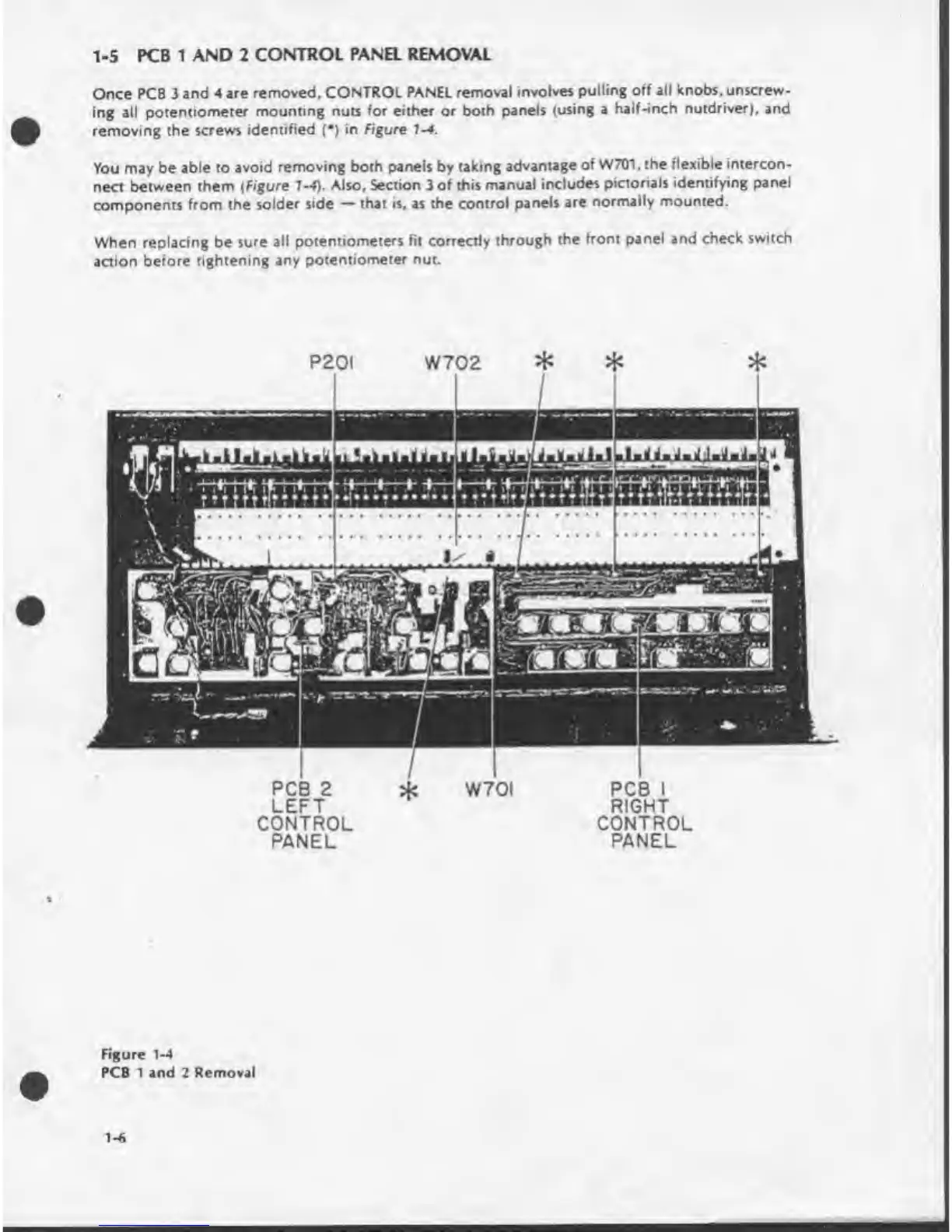
1-5
PCB
1
AND
2
CONTROL
PANEL
REMOVAL
Once
PCB
3
and
4
are
removed,
CONTROL
PANEL
removal
involves
pulling
off
all
knobs,
unscrew¬
ing
all
potentiometer
mounting
nuts
for
either
or
both
panels
(using
a
half-inch
nutdriver),
and
removing
the
screws
identified
(•)
in
Figure
1-4.
You
may
be
able
to
avoid
removing
both
panels
by
taking
advantage
of
W701.
the
rlexible
intercon¬
nect
between
them
(Figure
1-4).
Also.
Section
3
of
this
manual
includes
pictorials
identifying
panel
components
from
the
solder
side
that
is,
as
the
control
panels
are
normally
mounted.
When
replacing
be
sure
all
potentiometers
fit
correctly
through
the
front
panel
and
check
switch
action
before
tightening
any
potentiometer
nut.
W702
PCB
2
LEFT
CONTROL
PANEL
W70I
PCB
I
RIGHT
CONTROL
PANEL
Figure
1-4
PCB
1
and
2
Removal
1-6

Table of Contents

Other manuals for Sequential prophet 5

Related product manuals