R301 RF POWER SUPPLY OPERATOR’S MANUAL
· The “VOLTAGE” (VLT) leveling mode uses an external feedback voltage (derived from
a Voltage Probe in the processing system’s matching network or processing chamber) to
regulate the RF output power.
To select a leveling mode, follow the directions below:
Forward (FWD) Power Leveling mode:
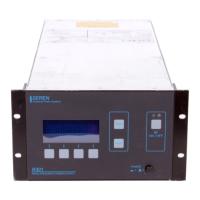
1. Press the “PGM” button (item 1).
2. Press the “DOWN” button (item 2) 4 times, or until line three of the display is
“POWER CONTROL” or “VOLTAGE CONTROL”
3. Press the “VALUE UP” button (item 5) or “VALUE DOWN” (item 6) until line 3 of
the display indicates the desired power leveling mode, “POWER CONTROL”.
The text on the left side of display line 2 should change to “PANEL PWR”
4. Press the “ENT” button (item 4) to save the mode selection.
5. Press the “DOWN” button (item 2) 2 times, or until line three reads “FWD POWER
LEVELING” or “LOAD POWER LEVELING”
6. Press the “VALUE UP” button (item 5) or “VALUE DOWN” (item 6) until line 3 of
the display indicates the desired power leveling mode, “FWD POWER
LEVELING”.
7. Press the “ENT” button (item 4) to save the mode selection.
5. Press the “RUN” button (item 1) to exit the programming menu.
Voltage (VLT) Leveling mode:
1. Press the “PGM” button (item 1).
2. Press the “DOWN” button (item 2) 4 times, or until line 3 of the display is “POWER
CONTROL” or “VOLTAGE CONTROL”
3. Press the “VALUE UP” button (item 5) or “VALUE DOWN” (item 6) until line 3 of
the display indicates the desired power leveling mode, “VOLTAGE CONTROL”.
The text on the left side of display line 2 should change to “PANEL VLT”
4. Press the “ENT” button (item 4) to save the mode selection.
5. Press the “RUN” button (item 1) to exit the programming menu.
Load (VLT) Power Leveling mode:
1. Press the “PGM” button (item 1).
2. Press the “DOWN” button (item 2) 4 times, or until line three of the display is
“POWER CONTROL” or “VOLTAGE CONTROL”
3. Press the “VALUE UP” button (item 5) or “VALUE DOWN” (item 6) until line 3 of
the display indicates the desired power leveling mode, “POWER CONTROL”.
The text on the left side of display line 2 should change to “PANEL PWR”
4. Press the “ENT” button (item 4) to save the mode selection.
5. Press the “DOWN” button (item 2) 2 times, or until line three reads “FWD POWER
LEVELING” or “LOAD POWER LEVELING”
Page 14
Seren IPS Inc.
6100130000 Rev. 0.05


 To Next Page