R301 RF POWER SUPPLY OPERATOR’S MANUAL
6. Press the “VALUE UP” button (item 5) or “VALUE DOWN” (item 6) until line 3 of
the display indicates the desired power leveling mode, “LOAD POWER
LEVELING”.
7. Press the “ENT” button (item 4) to save the mode selection.
8. Press the “RUN” button (item 1) to exit the programming menu.
Set Output Power Level
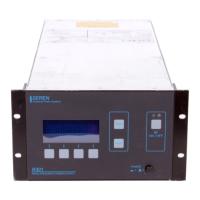
1. Ensure the R301 RF Power Supply is in the “RUN” mode – the legend above the
Program/Run button (item 1) is “PGM”.
2. Use the Value Up button (item 5) or Value Down button (item 6) to adjust the power
setpoint (SET: XXXW on the front panel display) to the desired power level.
Enable RF Output
1. Ensure the R301’s RF output is connected to an appropriate load and the external
interlock (Analog Interface Connector, pin 2) is in the proper state.
2. Press the front panel RF ON/OFF button (item 7). The blue RF OFF lamp will
extinguish (item 9) and the red RF ON lamp will illuminate.
3. The left side of line one on the display will change from “SET XXXW” to “FWD
XXXW”
Disable RF Output
1. Press the front panel RF ON/OFF button (item 7). The red RF ON lamp should
extinguish (item 9) and the blue RF OFF lamp will illuminate.
2. The left side of line one on the display will change from “FWD XXXW” to “SET
XXXW”
Page 15
Seren IPS Inc.
6100130000 Rev. 0.05


 To Next Page