SCORPIO 38’ - 45’ - CONTROL DISPLAY INFORMATION - Starting the crane
Version 1.02 May 27, 2022
SERVICEVISION BIS SL
Ríos Rosas, 20 · 08940 CORNELLA DE LLOBREGAT (Barcelona) Spain · Tel. 34 93 223 86 30 · Fax 34 93 223 86 31 47
comercial@servicevision.es · www.servicevision.es
4 CONTROL DISPLAY INFORMATION
The following chapter describes the different screens showed when starting the crane:
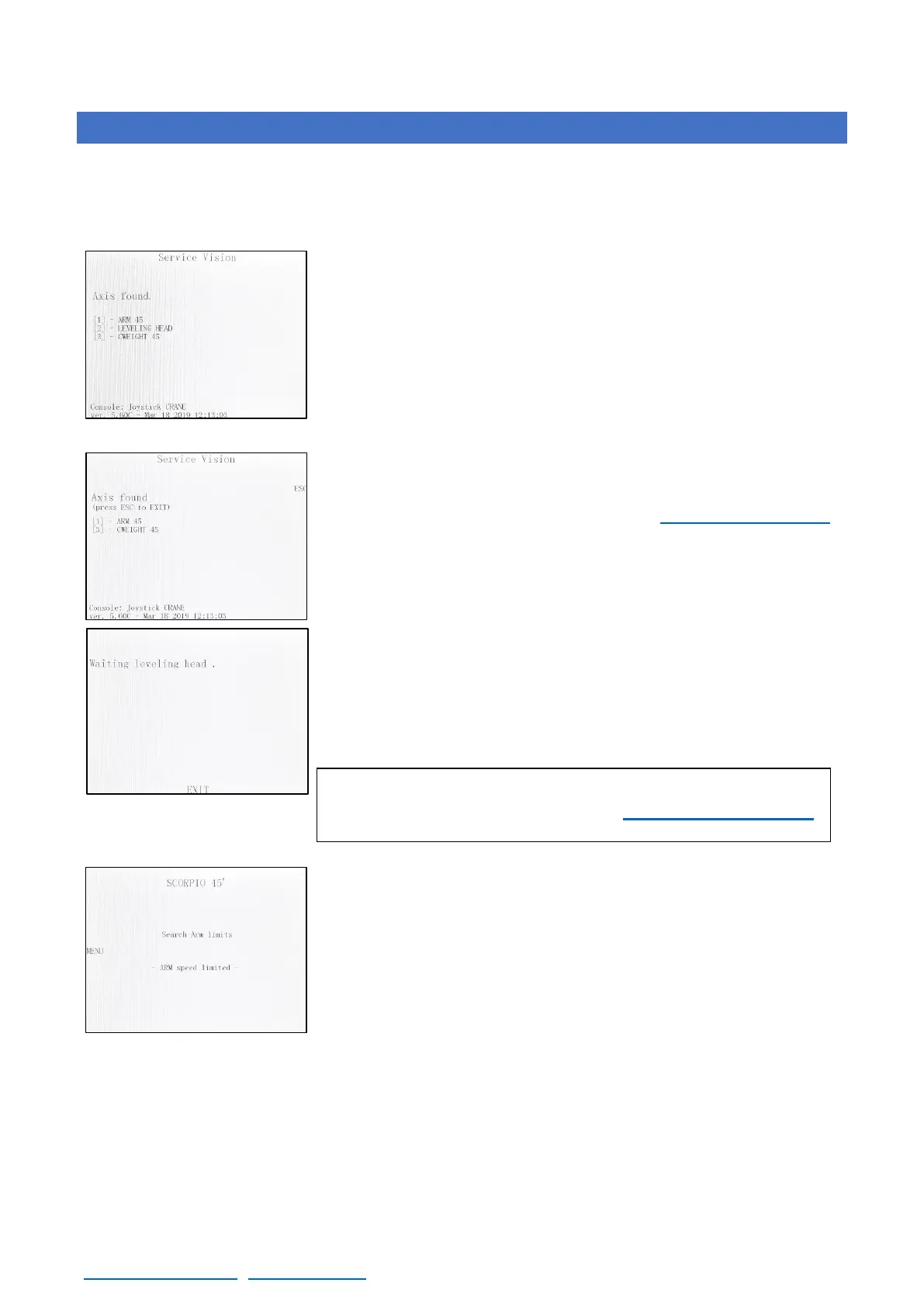
After pressing the START button in the electronic box and if all the
securities are ready (Hand Command, Emergency stop.) screen 04.01
will appear. It shows to the user that the system is trying to connect
with the Servos of the Arm motor, the Leveling Head and the
Counterweight axes.
If the Central Control Unit does not find one or both of these axes, it
is possible to press ESC in order to access the rest of the menus. If
ESC is pressed, Matrix mode is enabled (see chapter special modes).
If the Central Control Unit finds all axes screen 04.03 will
automatically appear and show us that the Leveling Head is
searching the “0”, the level set by the factory. Once the horizon has
been reached, screen 04.04 will automatically appear. While the
crane is switched ON, the Leveling Head will correct any change on
the level
At this point, the crane can be moved but with limited speed and one
magnetic limit must be find. The crane has a Front Limit and a Back
Limit. It does not matter which one, but the system needs to know one
to be able to calculate where the Arm is. The crane must be moved
using the Hand Commands rocker until one magnetic limit is detected.



 To Next Page