SCORPIO 38’ - 45’ - CONTROL DISPLAY INFORMATION - Operation menu
Version 1.02 May 27, 2022
SERVICEVISION BIS SL
Ríos Rosas, 20 · 08940 CORNELLA DE LLOBREGAT (Barcelona) Spain · Tel. 34 93 223 86 30 · Fax 34 93 223 86 31 55
comercial@servicevision.es · www.servicevision.es
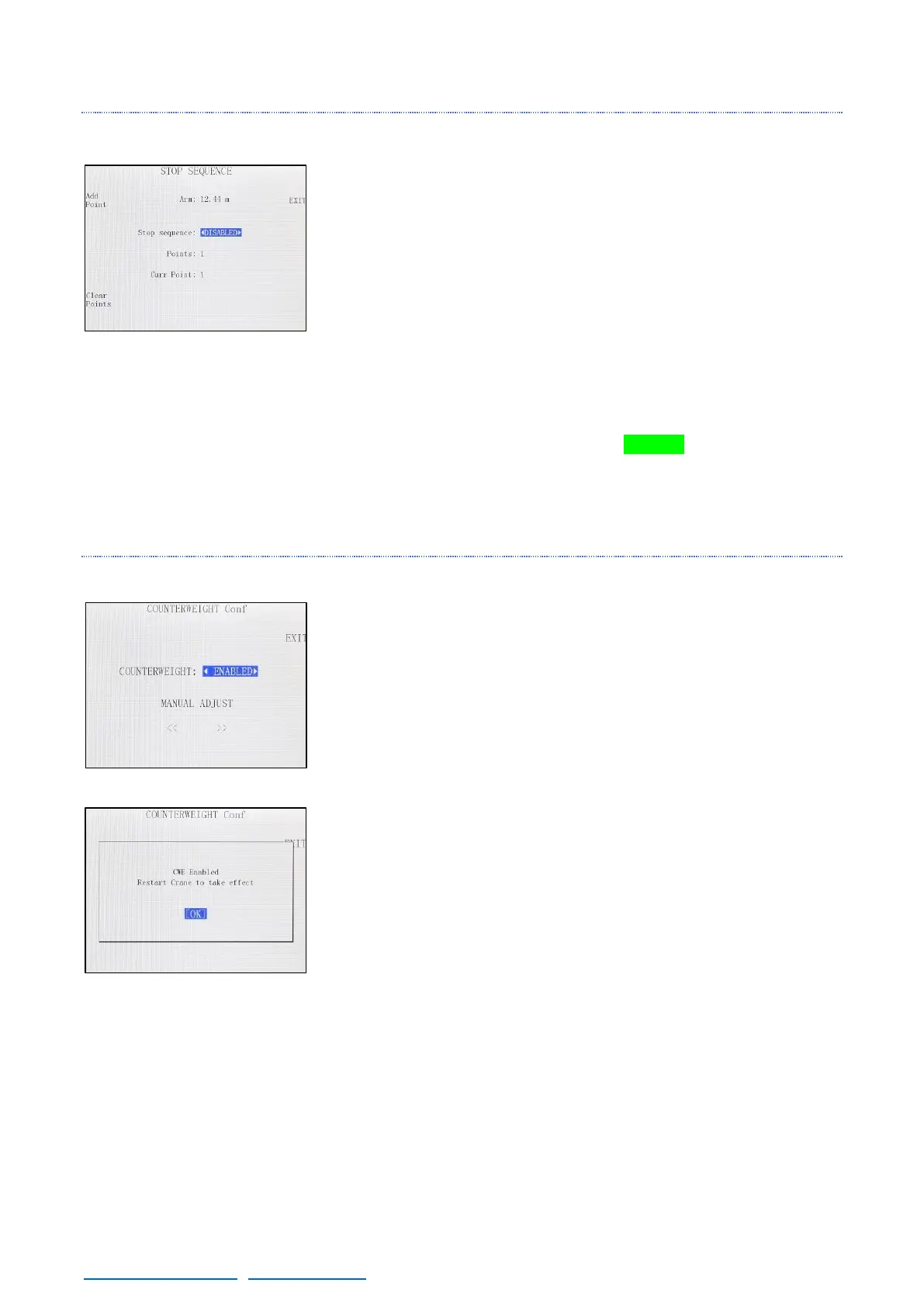
4.2.3.7 STOP SEQUENCE
This feature can be used to set different stop points for the telescopic
movement.
To start using it, extend the crane to the first stopping point and press
the Add Point button. Now is possible to enable the stop sequence.
Move the arm to another extension point if desired and press Add
Point again. This process can be repeated as many times as needed.
Once all the desired stops are added, Enable the Stop sequence
feature and the Current point will be set in 1. Now if the crane is
extended or retracted it will stop in the current point of the extension.
To change to the next point, press the GREEN button on the hand
command or press the next point button in the Stop sequence screen.
The order of the points set is the order that the system will follow.
4.2.3.8 CWE CONF
In this menu is possible to manually adjust the position of the
dynamic counterweight system (with the arrows) or deactivate it by
disabling it.
If it is disabled, when the crane starts the counterweights will not
calibrate and will not be able to move.
In case it is disabled, and the user wants to activate it, it will be
required to restart the crane so the counterweight system can calibrate
itself.
Once it is enabled the counterweights can be moved with the hand
unit.



 To Next Page