SCORPIO 38’ - 45’ - CONTROL DISPLAY INFORMATION - Operation menu
Version 1.02 May 27, 2022
SERVICEVISION BIS SL
Ríos Rosas, 20 · 08940 CORNELLA DE LLOBREGAT (Barcelona) Spain · Tel. 34 93 223 86 30 · Fax 34 93 223 86 31 49
comercial@servicevision.es · www.servicevision.es
4.2 OPERATION MENU
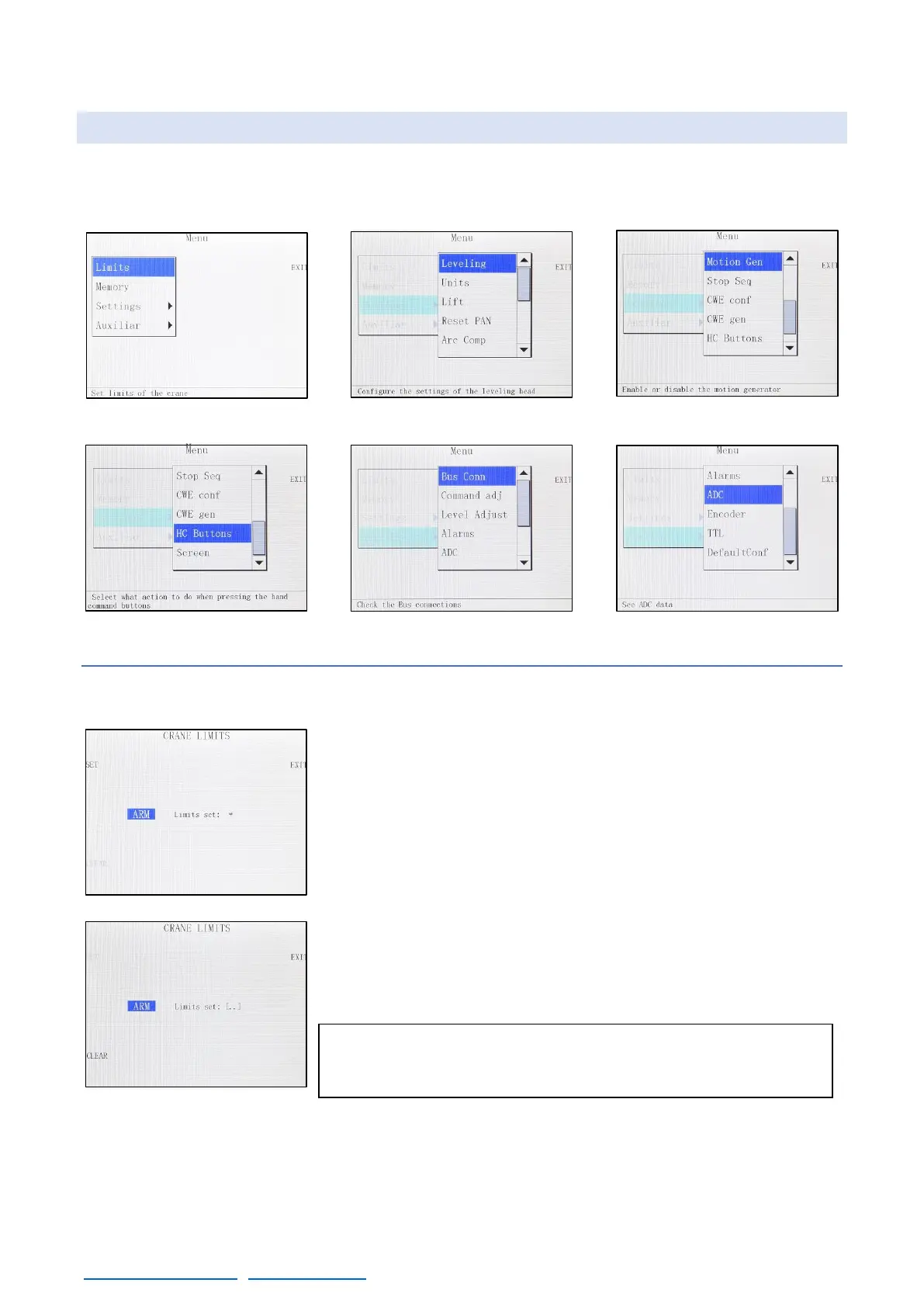
These are all the menus available through the MENU button. Each menu is described below.
4.2.1 LIMITS
This menu sets limits on the movement on the crane. To use it, move
the crane in one of the desired limits and press SET (fig. 04.12). One
bracket “[“, will appear indicating that the point has been saved. Now
move the crane to the other desired position and press SET again.
Another bracket will appear “[..] “, indicating that both limits are
activated. The crane will never pass beyond those points.
To erase those limits, press the CLEAR button and both limits will be
erased.



 To Next Page