6. Menu / Operation PRIMUS+
33
6.3.7 Change product
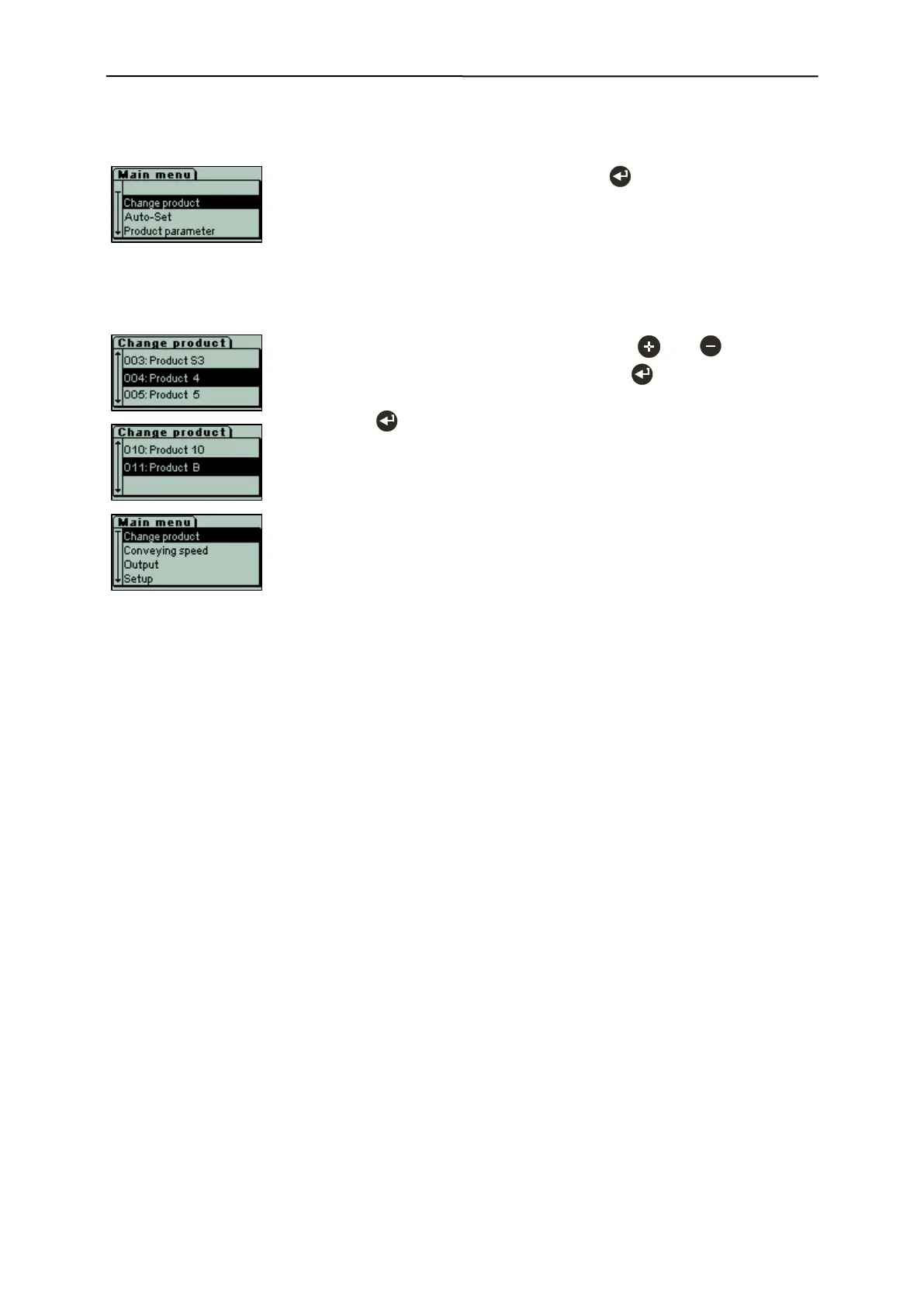
- Starting from the operating mask, press the key in the main menu to
select the Change product menu item.
PRIMUS+ can save up to 10 different products and their corresponding parameters. This functionality
enables quick product changes.
- Select the desired product from the list with the and keys, and
confirm your product selection by pressing the key.
- The system automatically changes back to the operating mask.
- Press the key to return to the operating mask without changing the
product.
- Product B can be used to change the system to factory settings without
being able to make changes at the product parameters.
The menu items Auto-Set and Product parameter in the main menu can
no longer be selected.


 To Next Page