6. Menu / Operation PRIMUS+
44
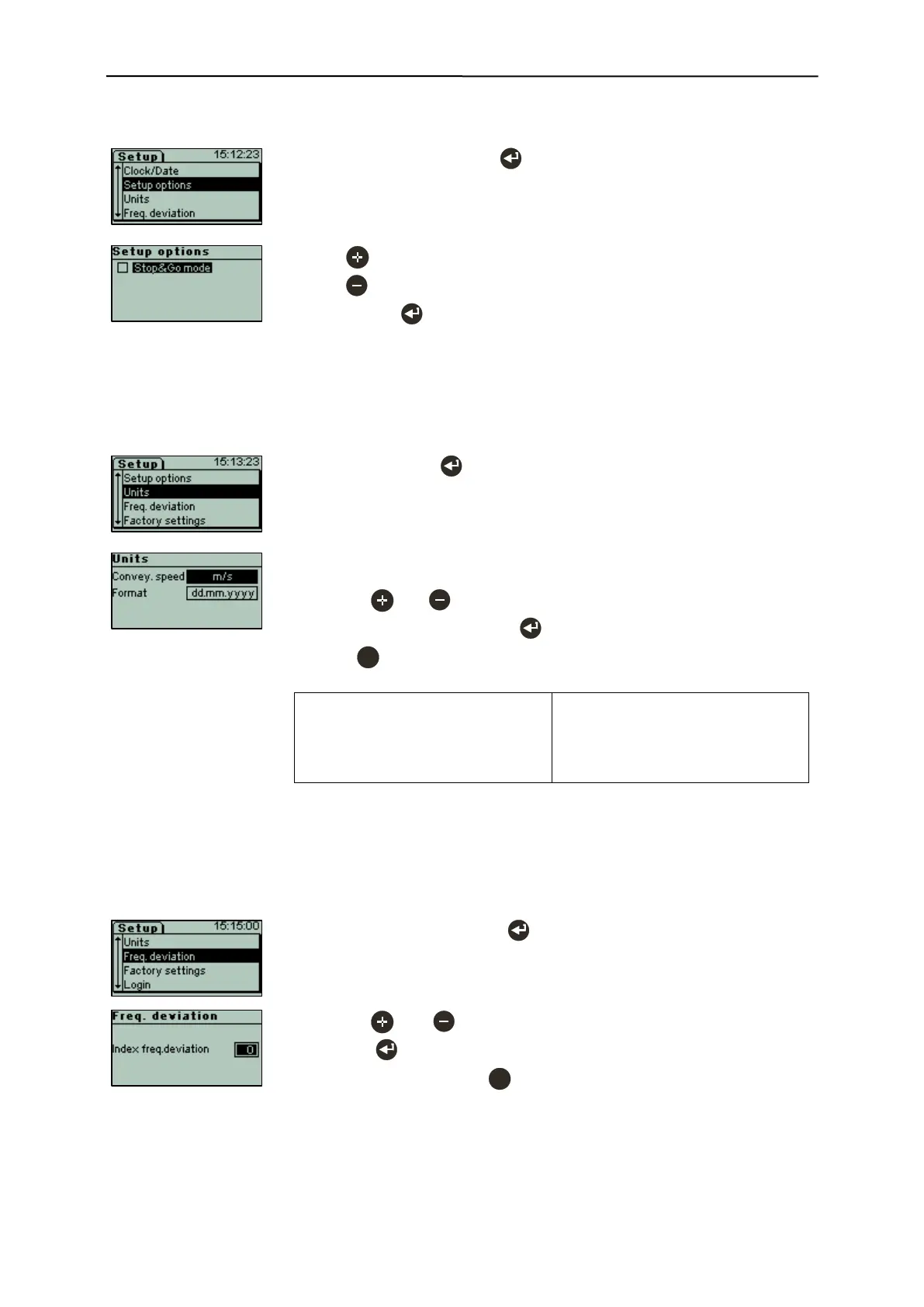
6.3.12.9 Setup options (menu item requires login)
- Select "Setup options" with .
- With key [x] Stop&Go mode active.
- With key [ ] Stop&Go mode inactive.
- Confirm with .
[x] Stop&Go mode: This option is necessary if products, for example due
to a belt stop, can stop in the coil.
6.3.12.10 Units (menu item requires login)
This menu item can be used to configure the country-specific format of the
conveying speed unit and of the date/time format.
- Use the and keys to set the respective unit.
- Confirm both input fields with to save the settings.
- Press to cancel the process without making any changes.
Formats for conveyor speed:
- m/s
- m/min
- ft/s
- ft/min
Formats for date and time:
- dd.mm.yyyy
- yyyy-mm-dd
- mm/dd/yyyy
6.3.12.11 Frequency deviation (menu item requires login)
When several Sesotec metal detectors or metal separators with the same search frequency are used
near each other, an interference in the signal can occur. To prevent this, a frequency deviation can be
selected. Changes of pre-installed values should only be made after consulting Sesotec.
- Select "Freq. deviation" with .
- Use the and keys to set the desired value, and confirm it by
pressing .
- Exit without changes with .
The maximum approved range has been defined by Sesotec in final clear-
ance.


 To Next Page