6. Menu / Operation PRIMUS+
45
6.3.12.12 Factory settings (menu item requires login)
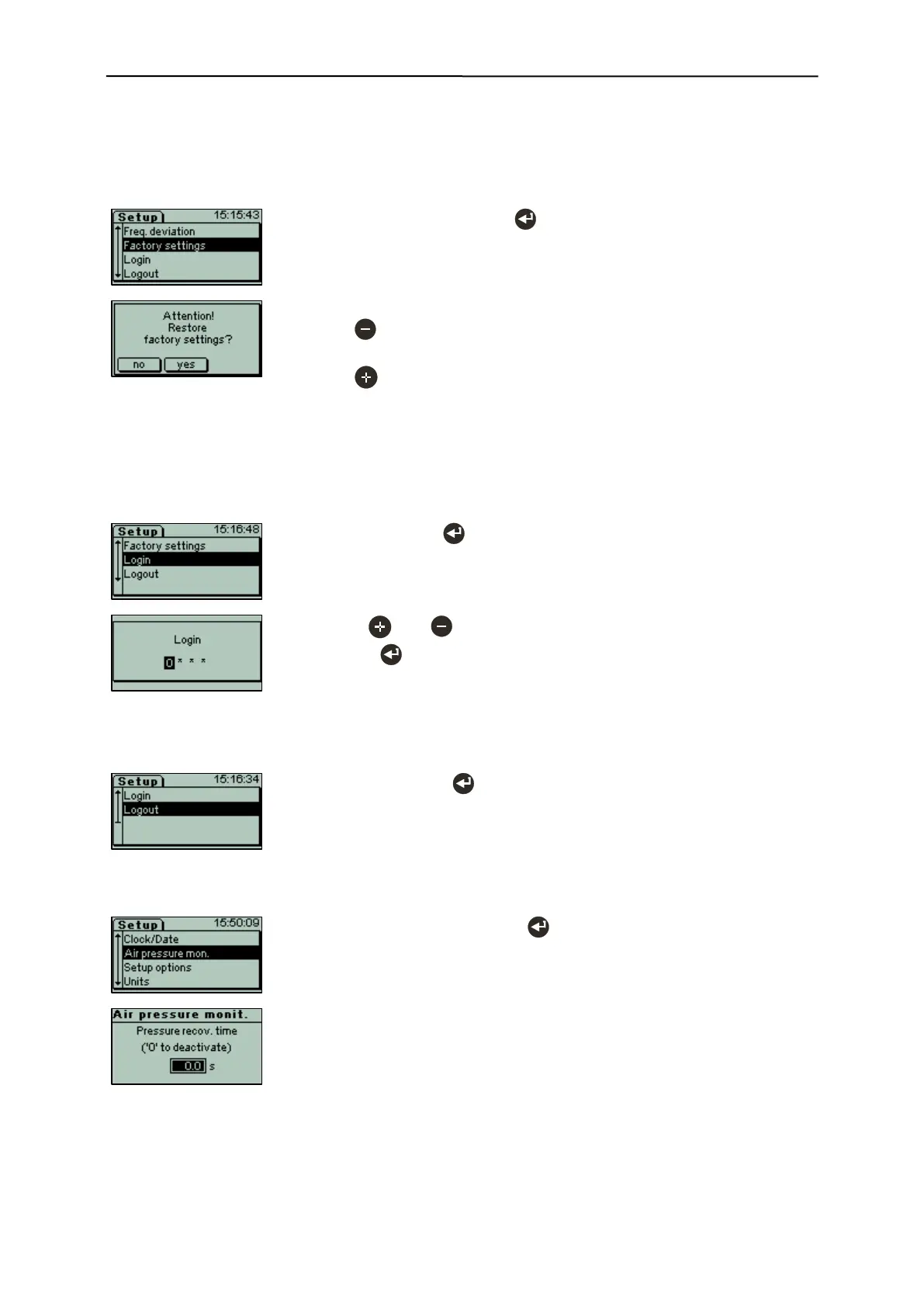
With this menu item the system can be reset to the factory settings at the time of delivery.
System data an all product memories will be reset to factory settings, i.e. to the settings at the time of
delivery.
- Select "Factory settings" with .
- For safety reasons you will be prompted to confirm the process.
- Press "No" to cancel the process, the current settings will remain
unchanged.
- Press "Yes" confirm the process, system and product data will be
reset to the settings at the time of delivery.
6.3.12.13 Login
Protected parts of the Setup menu can be access by way of the "Login" and "Logout" menu items.
In every-day operation these items usually are not needed and are therefore hidden.
- Use the and keys to enter the respective figure and confirm
each with .
- To exit the menu, sign out or restart the device.
6.3.12.14 Logout
- Select "Logout" with .
- Changes to operating mask and deactivates the entered code.
6.3.12.15 Air pressure monitoring (option) (menu item requires login)
- Select "Air pressure mon." with .
The air pressure can be monitored.
0.0s deactivates the monitoring.
A value different to 0 sets the maximum time, in which the air pressure can
drop below the limit set in the pressure controller without creating an error
message.
The value can be varied in steps of 2.5s up to a maximum of 10.0s.
Changing the factory pre-set value is usually.


 To Next Page