6. Menu / Operation PRIMUS+
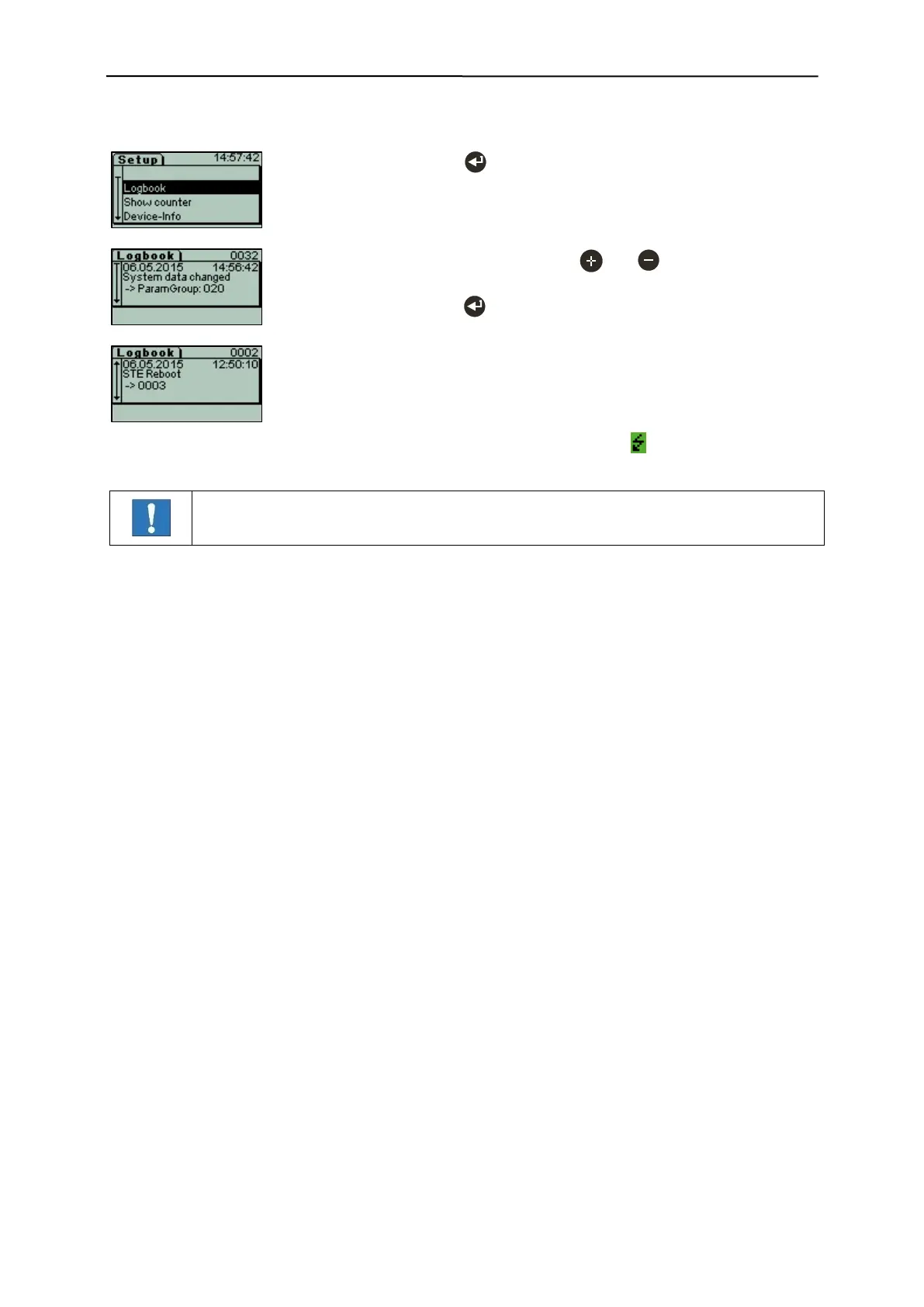
- Scroll through the saved incidents with and . All incidents are in
chronological order and displayed with date and time.
- Leave "Logbook" with .
The logbook contains 100 entries which are permanently saved.
The following information is available:
Running number of the entry.
Date and time of the incident.
Message (error messages are marked with a ).
Optional: 2 lines of additional information (depending on entry).


 To Next Page