6. Menu / Operation PRIMUS+
43
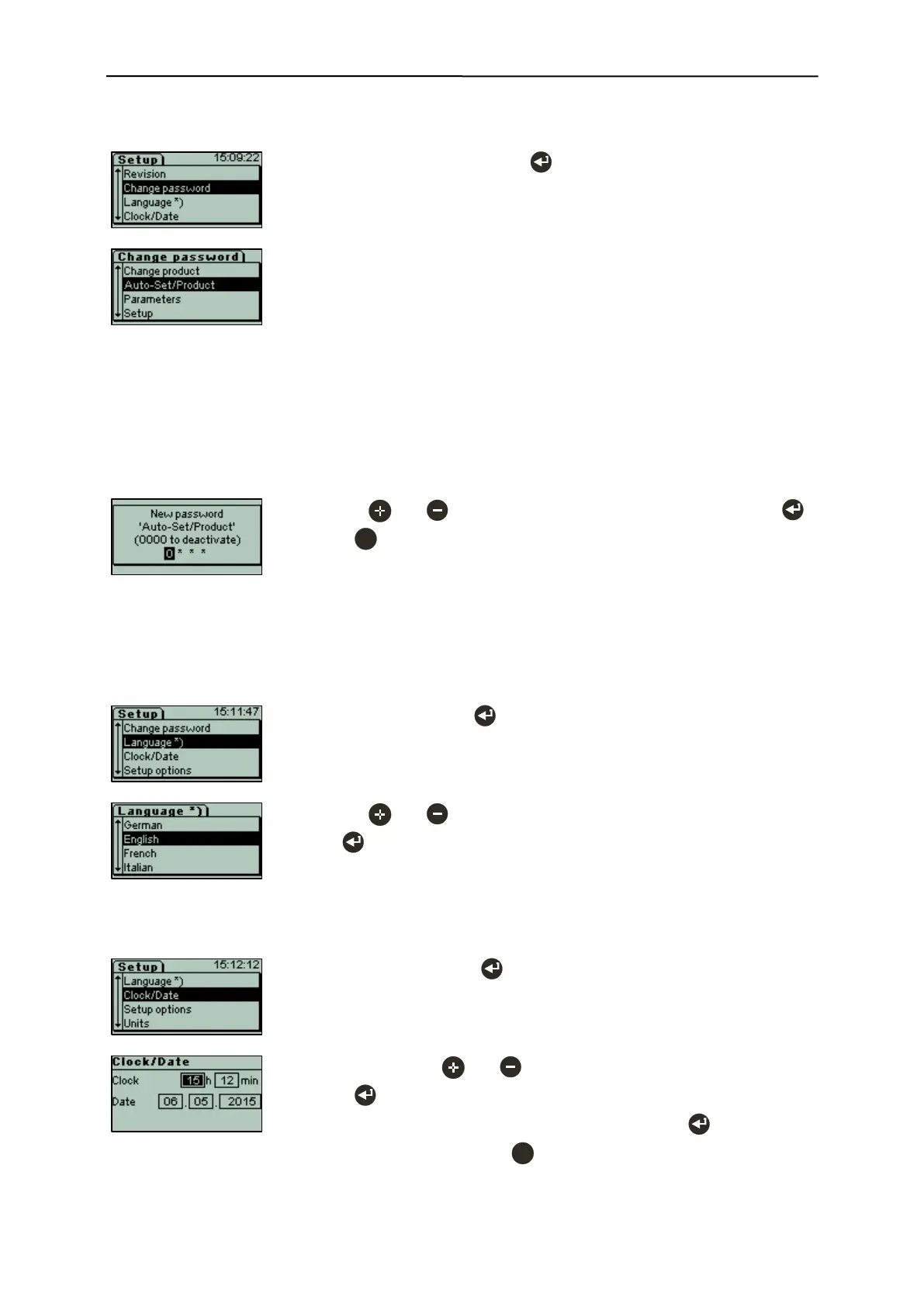
6.3.12.6 Change password (menu item requires login)
- Select "Change password" with .
Available passwords:
- Change product for menu
„Change product“
- Auto-Set/Product for menu
„Auto-Set“
„Product parameters“
„Conveying speed“
- Parameter for menu
„Outputs“
- Setup for menu
„Setup“
„Service“
- Use the and keys to enter the figures, and confirm each with .
- Press to exit the sub-menu and change back to next higher menu
level.
A password assigned previously has to be entered before a new one can
be assigned.
6.3.12.7 Language
- Select "Language" with .
- Use the and keys to select the desired language, and confirm it
with .
6.3.12.8 Clock/Date (menu item requires login)
- Select "Clock/Date" with .
- Change digits with and .
- Press to jump to the next value,
after setting the year, save changes and exit the menu .
- Cancel without changes with .


 To Next Page