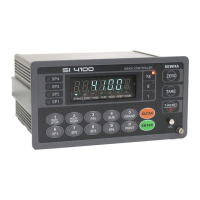
Digital Weighing Indicator
SI 4100
Zero key Operation Range selection
Activated within 2% of Max Capacity
Activated within 5% of Max Capacity
Activated within 10% of Max Capacity
Activated within 20% of Max Capacity
Activated within 50% of Max Capacity
Activated within 100% of Max Capacity
Whenever Press “Zero” key (No Limit)
Tare key Operation Range selection
Activated within 10% of Max Capacity
Activated within 20% of Max Capacity
Activated within 50% of Max Capacity
Activated within 100% of Max Capacity
Peak Hold : Measure Max weight value and hold on display.
Sample Hold : Hold current weight until “Hold Reset”.
“STEADY” condition check time setting
During the set time period, estimate weighing part’s “STEADY” condition and display.
If you set small value, indicator will take “STEADY” fast, if you set large value,
indicator will take “STEADY” slow.


 To Next Page