Digital Weighing Indicator
SI 4100
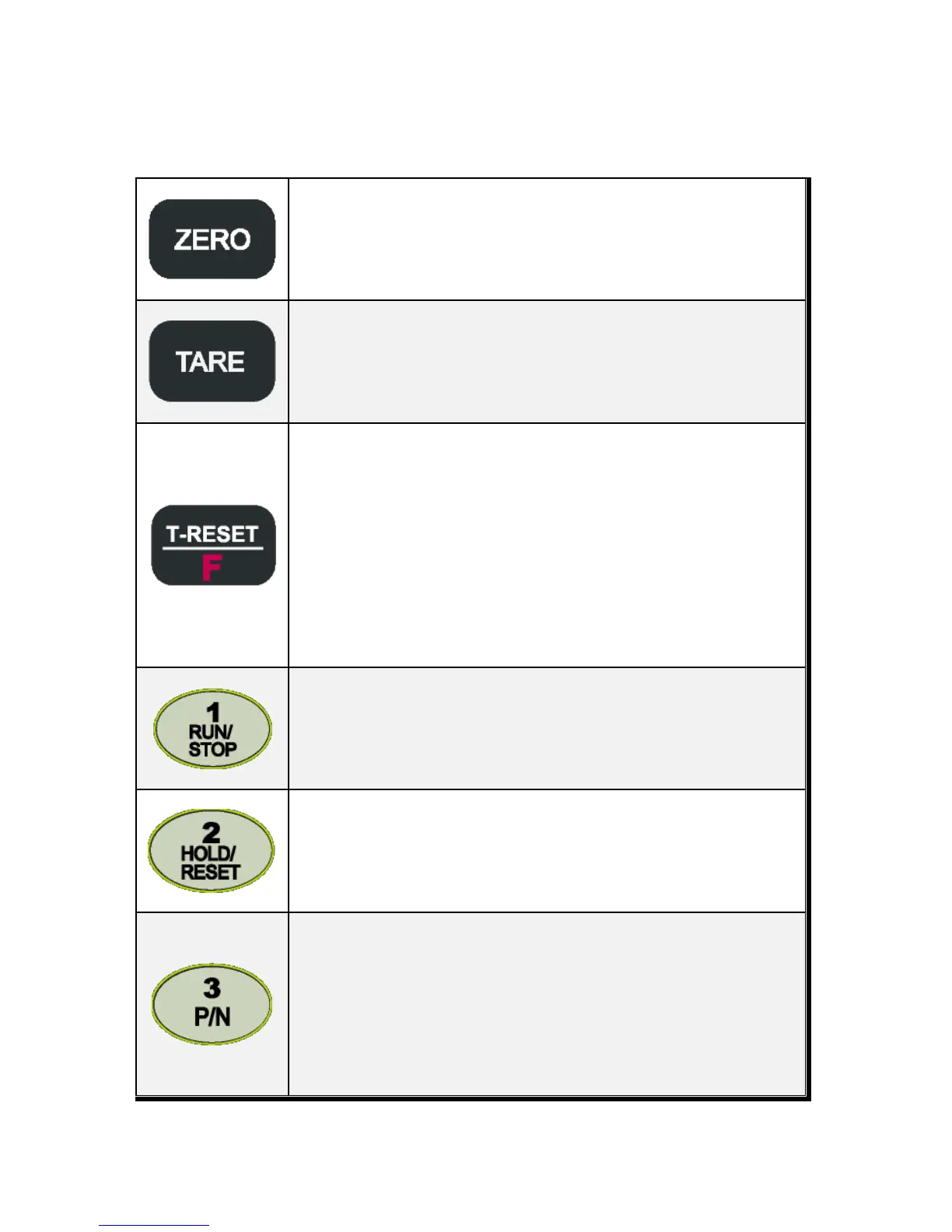
Make Weight value as Zero.
Under F08, you can set the Zero key operation range, as 2%, or 5%, or 10%, or 20%
of Max Capacity.
※ Under “Tare” key input, Zero key will not be activate within operation range
Make Weight value as Zero, including Tare Weight.
Under F09, you can set the Tare key operation range, as 10%, 20%, 50%, or 100% of
Max Capacity.
※ Whenever pressing “Tare” key, you can set the Tare continuously.
TARE RESET
1. Remove the Set TARE function.
If you press this key, TARE set value will be removed and display gross weight.
FUNCTION KEY
1. “F-TEST” Mode Entrance : Press “F” key for 5sec.
2. Under “F-function Mode”, Move to next Function or move to certain function
No.(Press function No. and press “F” key)
3. Function key (Refer “Function keys”)
To START or STOP weighing process.
First input, SI 4100 Controller Starts weighing process, and Second input, SI 4100
Controller stops weighing process.
※ This function will be activated under F21- setting, only.
Hold the Weight display when indicator detects “Peak Hold”, or “Sample Hold”.
First input, SI 4100 Controller takes “Hold” point, and Second input, SI 4100
Controller remove “Hold” function.
※ You can select “Hold” function on F10.
You can set each weighing process as a certain P/N.
Each weighing process will be saved with Sp1, Sp2, Sp3, Sp4 set values.(Max 50
kinds of P/N you can set)
And you can call certain P/N with each set value.
P/N save : Select P/N and input Sp1, Sp2, Sp3, Sp4 values and save.
P/N call : P/N + Number key + Enter


 To Next Page