40
INSTALLING THE PRINTER DRIVER
8
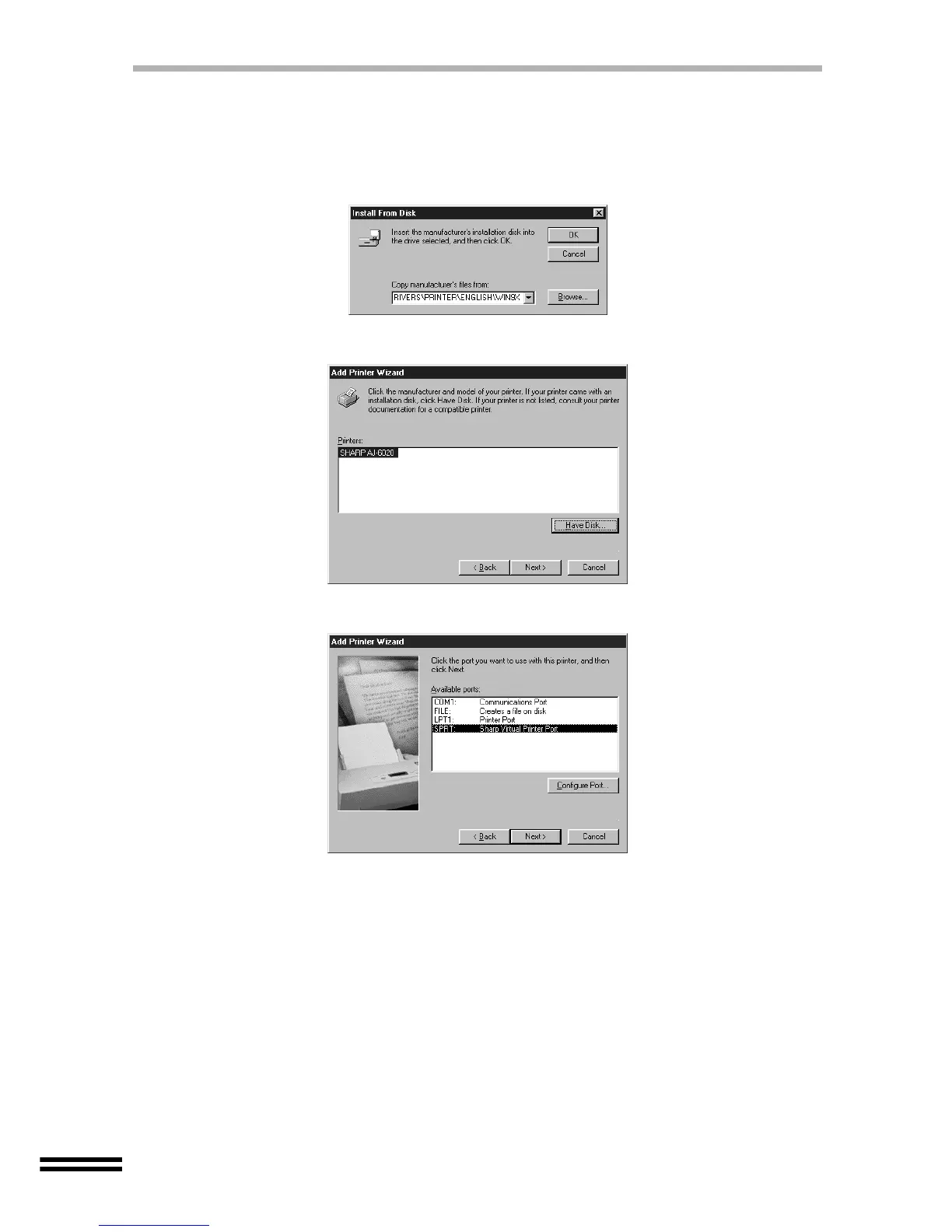
Confirm that the CD-ROM is in the CD-ROM drive.
9
Type "D:\DRIVERS\PRINTER\ENGLISH\WIN9X", and then click
the "OK" button.
(Change "D" to correspond to the letter of your CD-ROM drive.)
10
Select "SHARP AJ-6020", and then click the "Next" button.
11
Select "SPRT", and click the "Next" button.
12
Click the "Finish" button.
If the program displays "Do you want your Windows-based programs to use this
printer as the default printer?", check "Yes".
You have completed the installation of the printer driver.



 To Next Page