17
MAKING COPIES
1
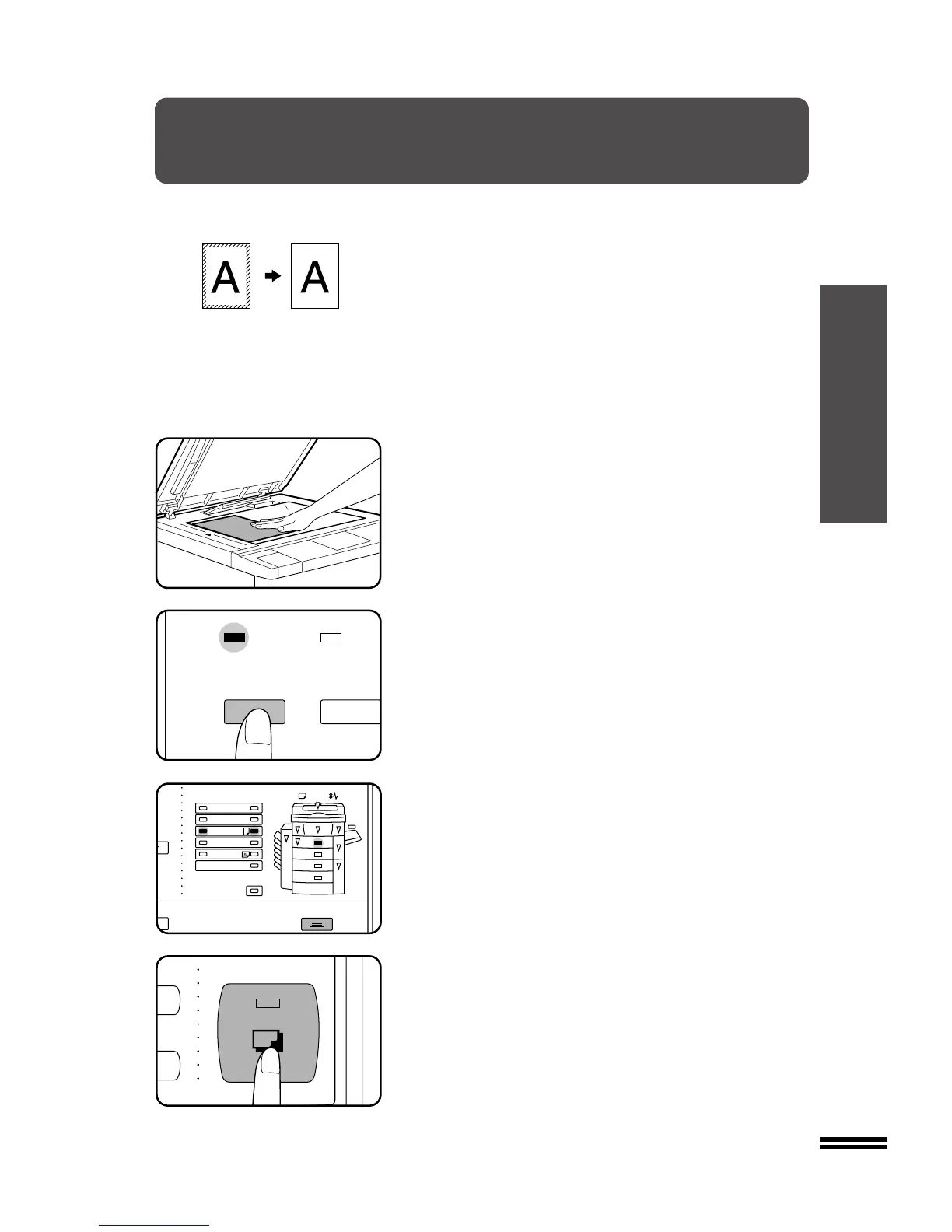
Place the original face down on the document glass and
close the document cover.
●
If an optional document feeder (ADF or RADF) is installed, place
the originals face up in the document feeder tray.
NOTE:
When an optional ADF or RADF is used, the amount of edge erase
will vary depending on the copy ratio. However, when the document
glass is used, the amount will be constant.
2
Press the EDGE ERASE key.
3
Ensure that the desired paper tray is selected.
●
The edge erase mode will work only when standard size copy
paper is used.
4
Make all other desired copier selections and press the
START key.
●
When using the document glass, the area to be erased is simply
a specified portion of the copy paper. By repositioning the
original, the portion of it which falls within the area to be erased
can be shifted.
When using an optional document feeder (ADF or RADF), the
original is always fed to the same position on the document
glass, so the area to be erased is fixed.



 To Next Page