84
OPTIONAL EQUIPMENT
1
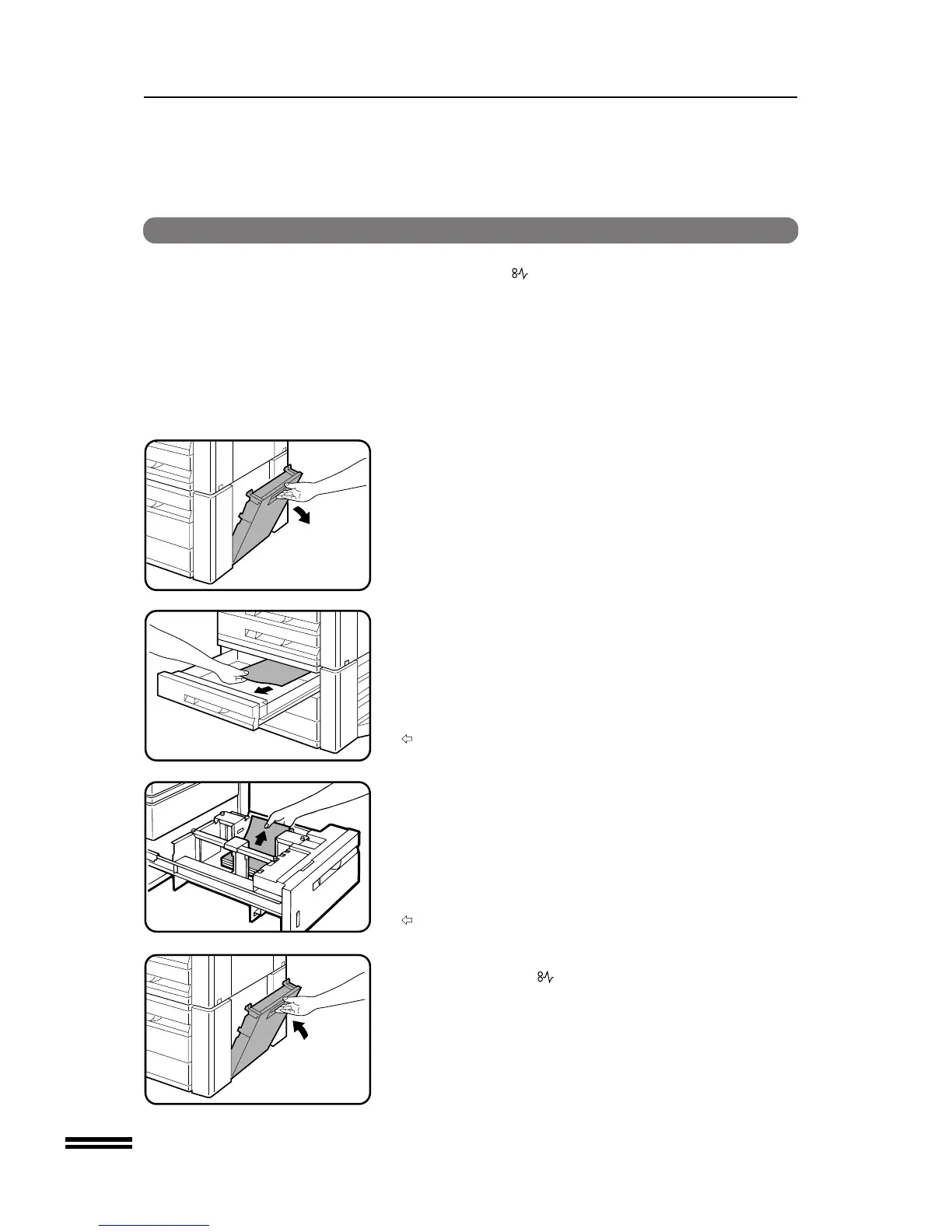
Open the side cover and remove any misfed paper.
●
Be sure to perform this step before pulling out either of the paper
drawers. If not, the paper may be torn as a drawer is opened.
●
Be sure not to tear the misfed paper during removal.
2
Gently lift and pull out the paper drawer. Remove any
misfed paper.
STAND/500-SHEET PAPER DRAWER (SF-D20)
STAND/1000-SHEET PAPER DRAWER (SF-D21)
3
Close the paper drawer and the side cover.
●
Confirm that the indicator has gone out.
STAND/500-SHEET PAPER DRAWER (SF-D20)/STAND/1000-SHEET PAPER DRAWER (SF-D21)
Misfeed removal
The copier will stop when a misfeed occurs. The misfeed ( )
indicator will blink and blinking red misfeed location indicators will
indicate the approximate misfeed location.
Stand/500-sheet paper drawer (SF-D20)
Stand/1000-sheet paper drawer (SF-D21)



 To Next Page