21
MAKING COPIES
Toner save mode
TONER SAVE MODE
This mode reduces toner consumption, increasing cost effective-
ness, with only a slight loss in copy density. Follow the procedure
below for setting the toning level.
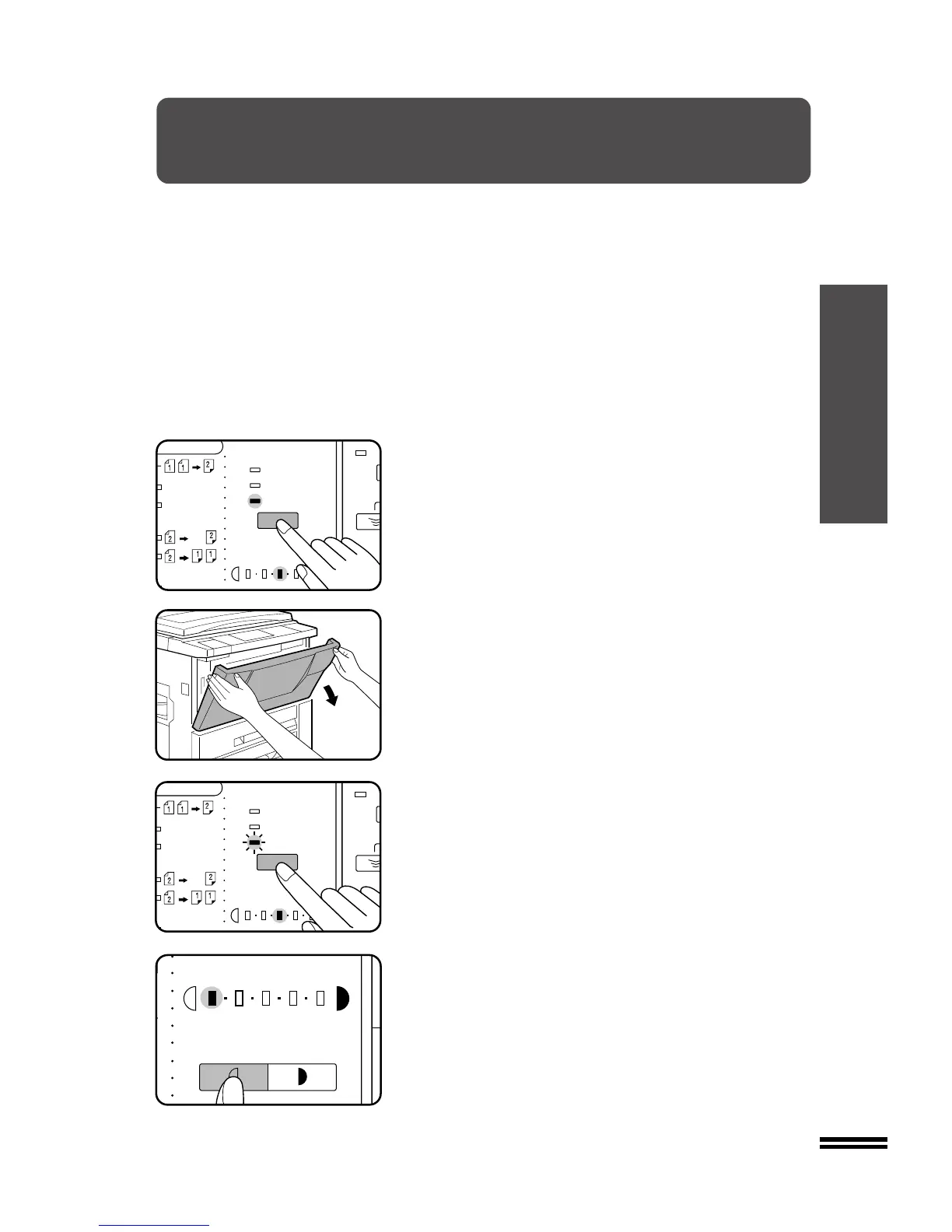
1
Press the EXPOSURE key to select the PHOTO mode.
2
Open the front cover.
3
Press and hold the EXPOSURE key for more than 3
seconds.
●
The exposure indicator marked “3” will light up, indicating that
the standard toner mode is active.
4
To enter the toner save mode, press the LIGHT key.
●
The exposure indicator marked “1” will light up, indicating that
the toner save mode is selected.
5
Close the front cover and press the EXPOSURE key to
select the desired exposure mode.
●
To return to the standard mode, repeat the procedure but use
the DARK key to select exposure level “3” in step 4.



 To Next Page