20
MAKING COPIES
Automatic exposure adjustment
AUTOMATIC EXPOSURE ADJUSTMENT
The automatic exposure level can be adjusted to suit your copying
needs.
1
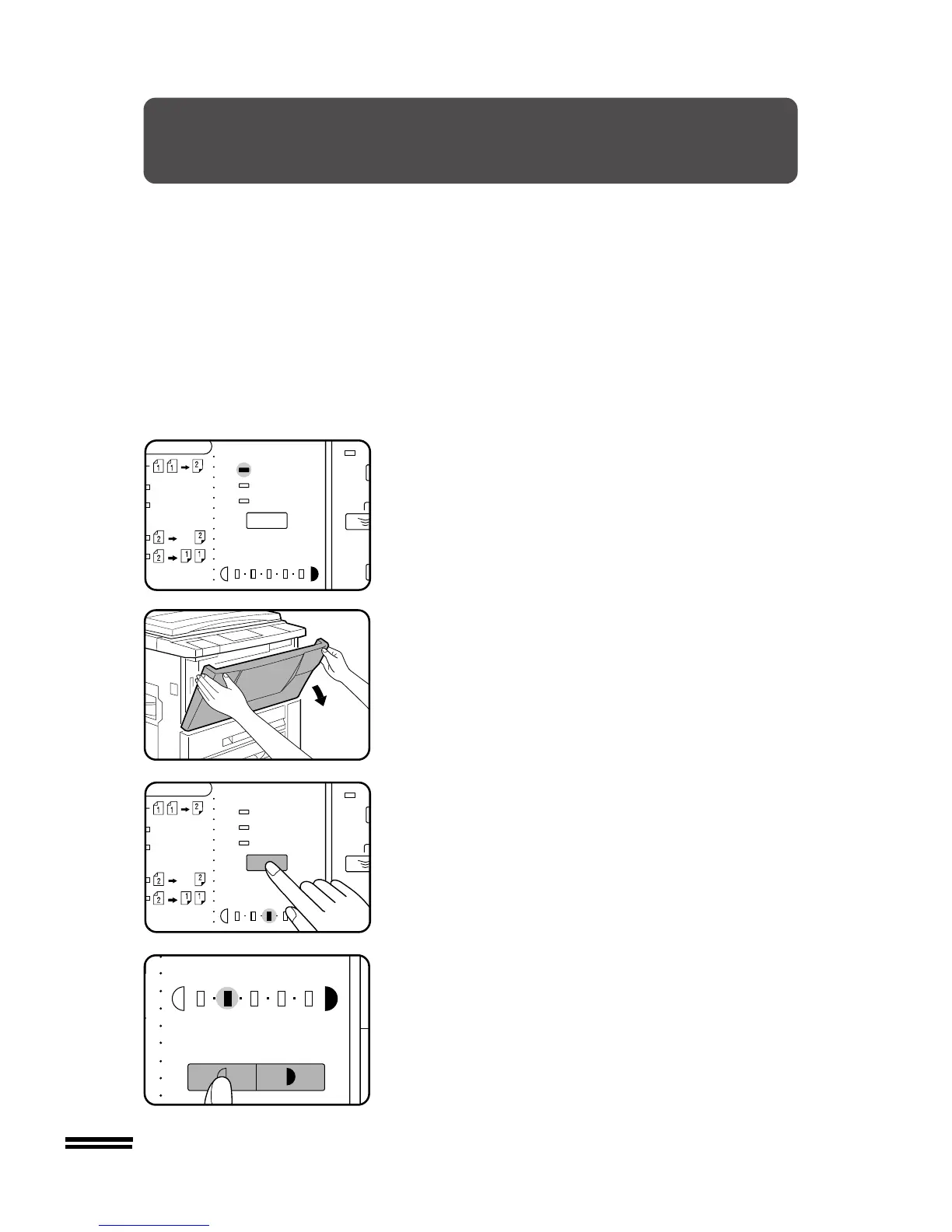
Ensure that the copier is in the AUTO exposure mode.
2
Open the front cover.
3
Press and hold the EXPOSURE key for more than 3
seconds.
●
One or two exposure indicators corresponding to the automatic
exposure level which has been selected will light up. The factory
default setting is level “3”.
4
Press the LIGHT or DARK key to lighten or darken the
automatic exposure level as desired.
5
Close the front cover.
●
This automatic exposure level will remain in effect until you
change it again by this procedure.



 To Next Page