76
OPTIONAL EQUIPMENT
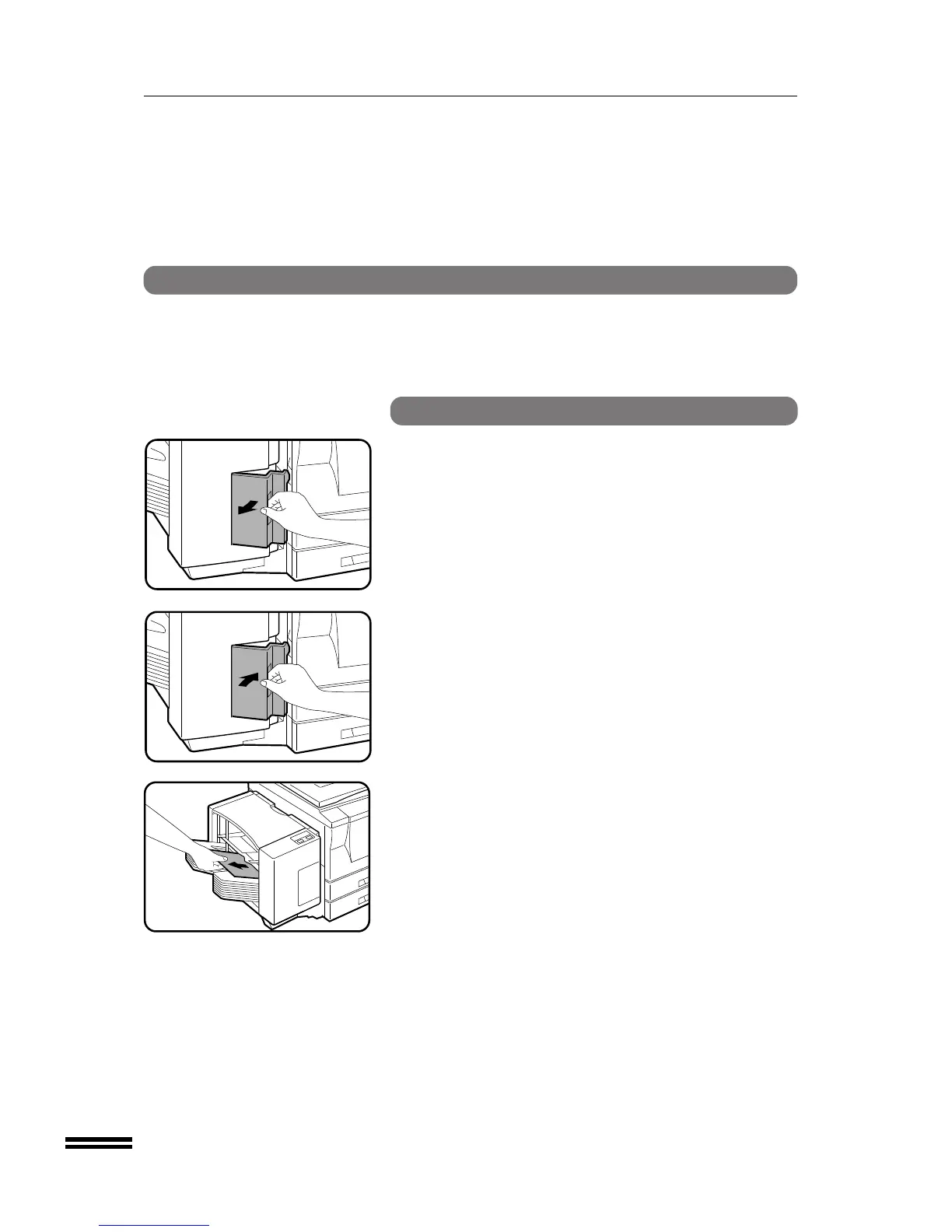
Staple jam removal
If staples become jammed in the stapler, the CHECK STAPLER
indicator and the STAPLE SORT mode indicator will blink. Remove
the jammed staples in the manner described below.
SF-S54N 10-bin staple sorter
1
Open the stapler cover.
2
Close the stapler cover.
●
Jammed staples will be removed automatically.
3
Remove all copies from the bins of the staple sorter.
●
To check that the stapler works properly, copy an original and
staple it.
10-bin staple sorter (SF-S54N)
10-BIN STAPLE SORTER (SF-S54N)



 To Next Page