75
OPTIONAL EQUIPMENT
5
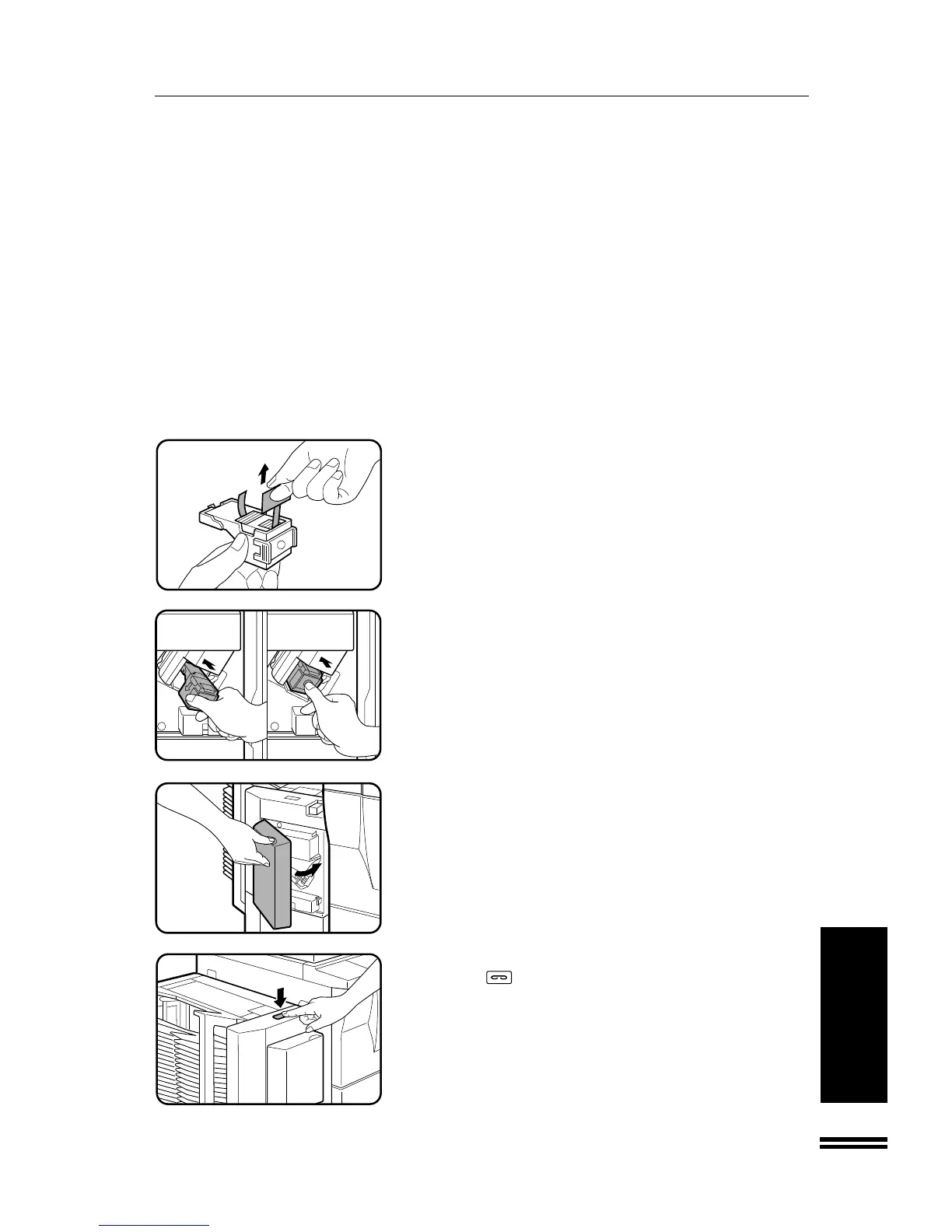
Remove the rear paper and tape from the cartridge.
●
Pull them straight. If they are pulled obliquely, the tape may be
torn.
6
Insert the staple box into the stapler until it clicks in
place.
7
Close the stapler cover.
8
Place a sheet of paper into the top bin. Press the manual
staple (
) key on the staple sorter when it lights up.
●
Check to see whether the sheet is stapled.
If it is not stapled, press the manual staple key again.
●
If the stapler does not operate properly even after replacement,
a staple may be jammed in it. See page 77.
●
Staples for the staple sorter are available from your Sharp
dealer.
20-BIN STAPLE SORTER (SF-S56)
20-bin staple sorter (SF-S56)



 To Next Page