64
OPTIONAL EQUIPMENT
Misfeed removal
The copier will stop when a misfeed occurs. The misfeed ( )
indicator will blink and blinking red misfeed location indicators will
indicate the approximate misfeed location.
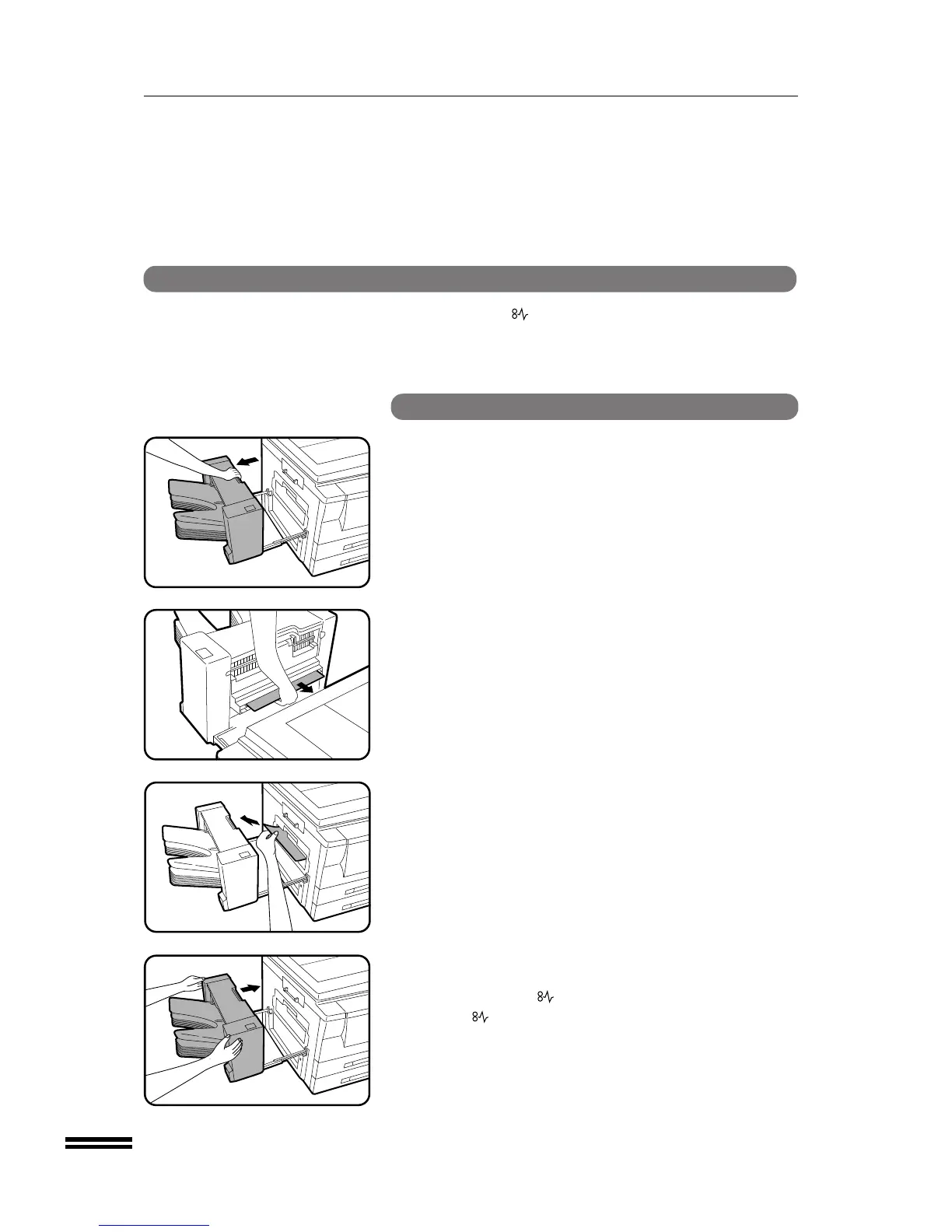
SF-S18 10-bin sorter
1
Pull the sorter lock lever and carefully slide the sorter
away from the copier.
2
Remove the misfed paper from the sorter or from the exit
area of the copier.
3
Slide the sorter back toward the copier and latch it into
place.
●
Confirm that the indicator has gone out.
●
If the indicator is still blinking, check the inside of the copier
and remove any remaining misfed paper.
10-BIN SORTER (SF-S18)
10-bin sorter (SF-S18)



 To Next Page