65
OPTIONAL EQUIPMENT
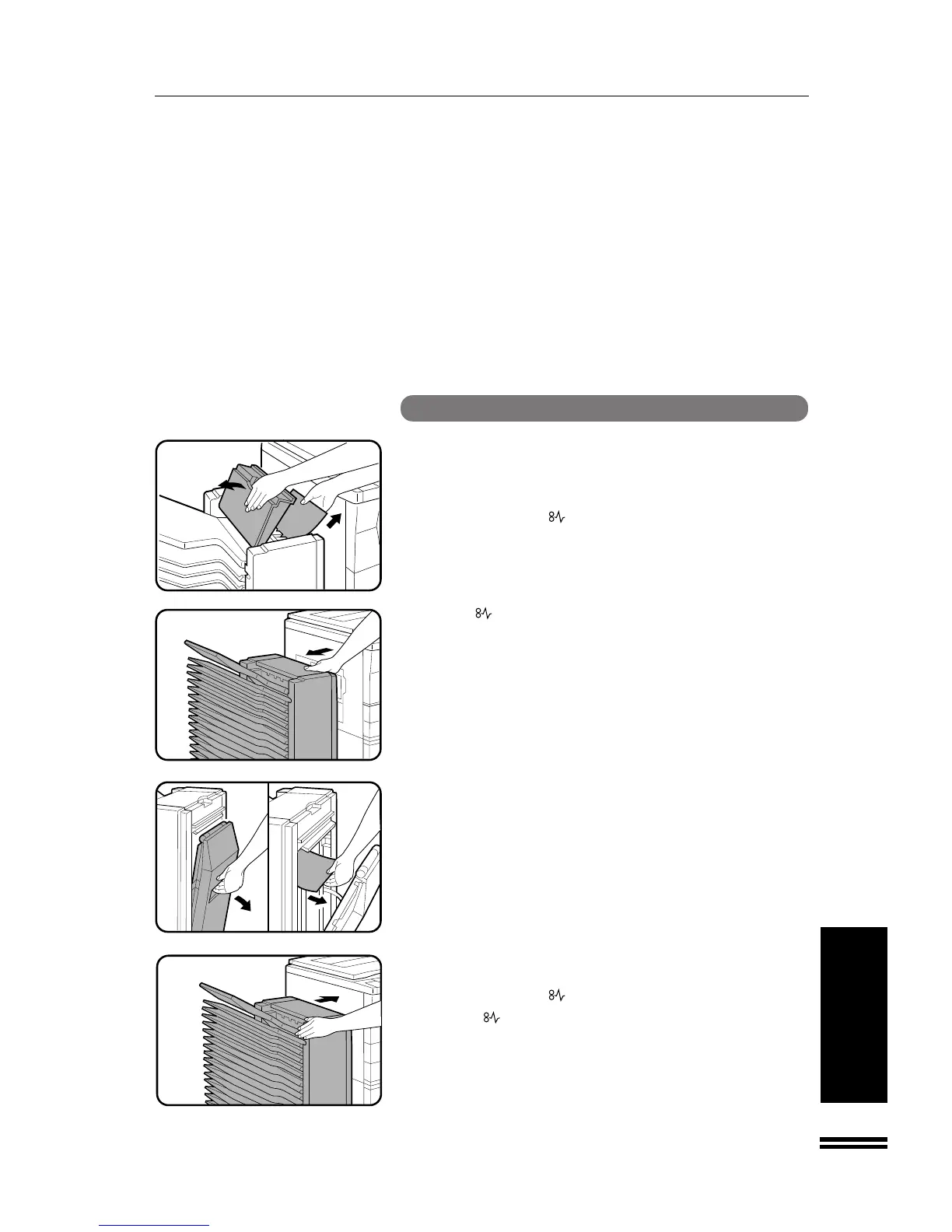
20-BIN SORTER (SF-S15)
20-bin sorter (SF-S15)
SF-S15 20-bin sorter
1
Open the top cover and remove the misfed paper.
2
Close the top cover.
●
Confirm that the indicator has gone out.
3
If the indicator is still blinking or the misfed paper
cannot be seen from the top, slide the sorter carefully
away from the copier.
4
Open the side cover and remove any misfed paper.
5
Close the side cover and push the sorter back against
the copier.
●
Confirm that the indicator has gone out.
●
If the indicator is still blinking, check the inside of the copier
and remove any remaining misfed paper.



 To Next Page