74
OPTIONAL EQUIPMENT
SF-S56 20-bin staple sorter
1
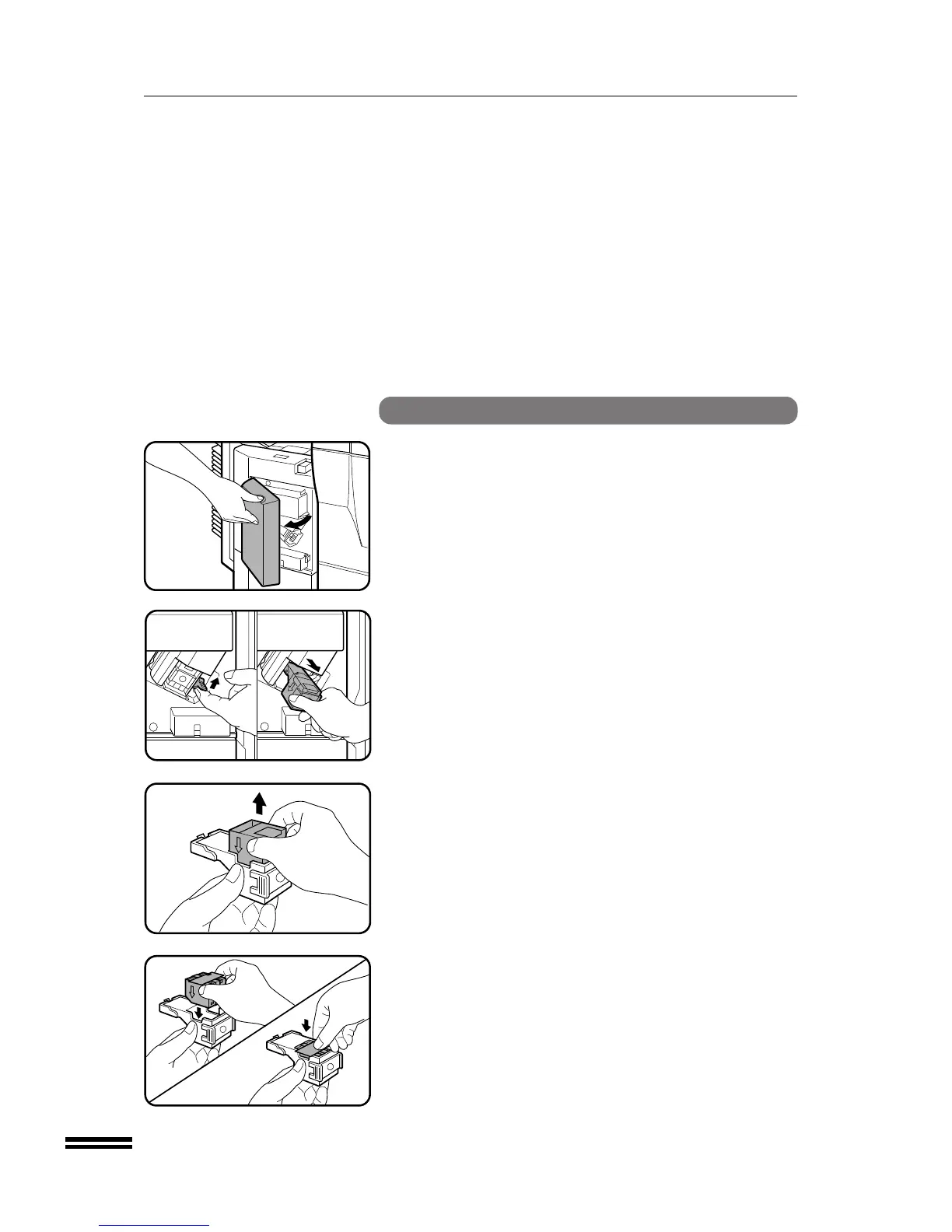
Open the stapler cover.
2
Lift the release lever and pull out the staple box.
●
Lift the release lever to unlock the staple box. Then pull out the
box.
3
Remove the empty staple cartridge from inside the
staple box.
4
Insert the new staple cartridge into the box until it clicks
in place.
●
Insert the new cartridge by aligning the arrows on the cartridge
with those on the box. Check that the cartridge locks in place
by pulling it slightly.
●
A cartridge holds 5,000 staples.
NOTE:
Be sure not to remove the rear paper and tape before inserting the
cartridge.
20-bin staple sorter (SF-S56)
20-BIN STAPLE SORTER (SF-S56)



 To Next Page