80
OPTIONAL EQUIPMENT
SF-S56 20-bin staple sorter
1
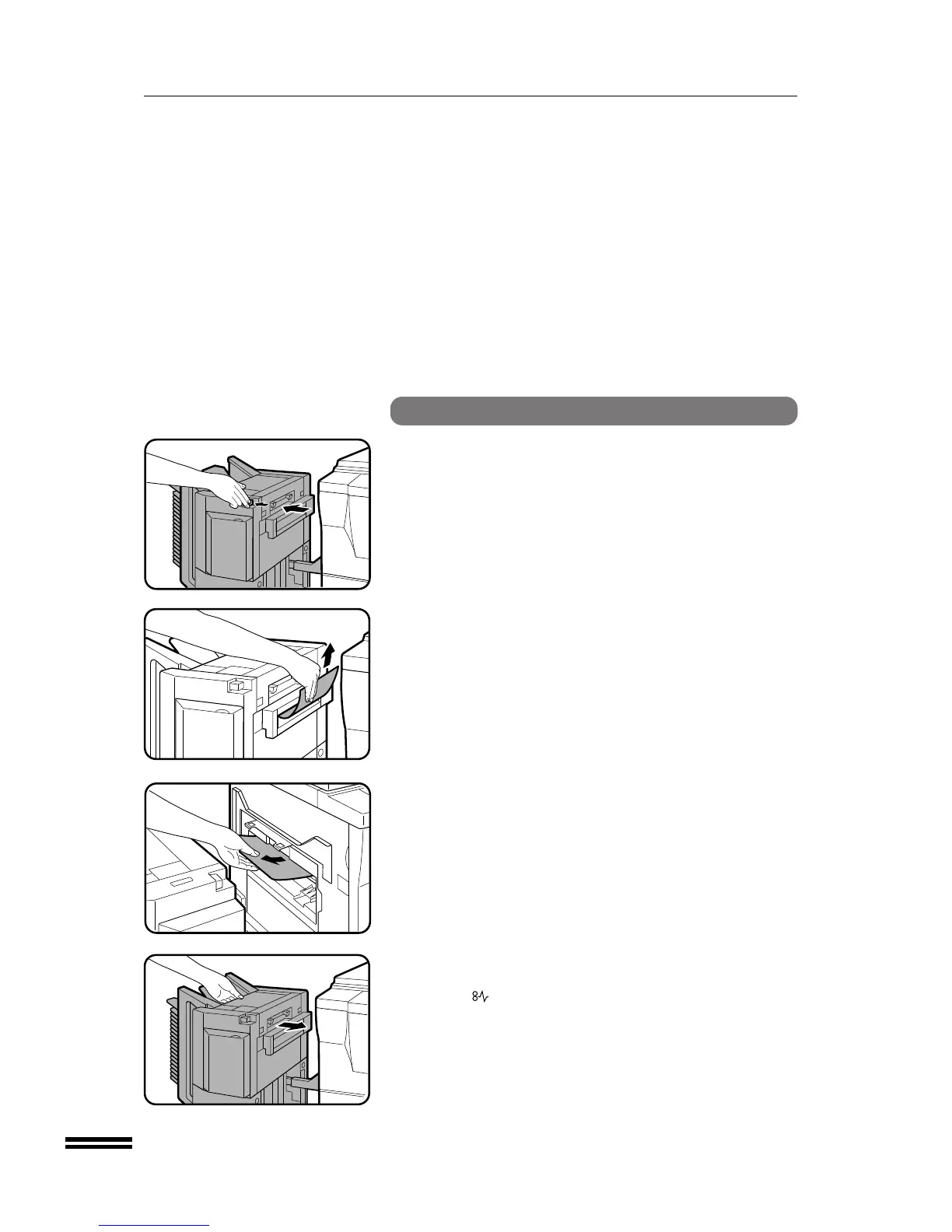
Push the sorter release button and slide the sorter
carefully along the guides away from the copier.
2
Remove the misfed paper from the sorter or from the exit
area of the copier.
3
Slide the sorter back toward the copier and latch it into
place.
●
If the indicator is still blinking, check the inside of the copier
and remove any remaining misfed paper.
20-bin staple sorter (SF-S56)
20-BIN STAPLE SORTER (SF-S56)



 To Next Page