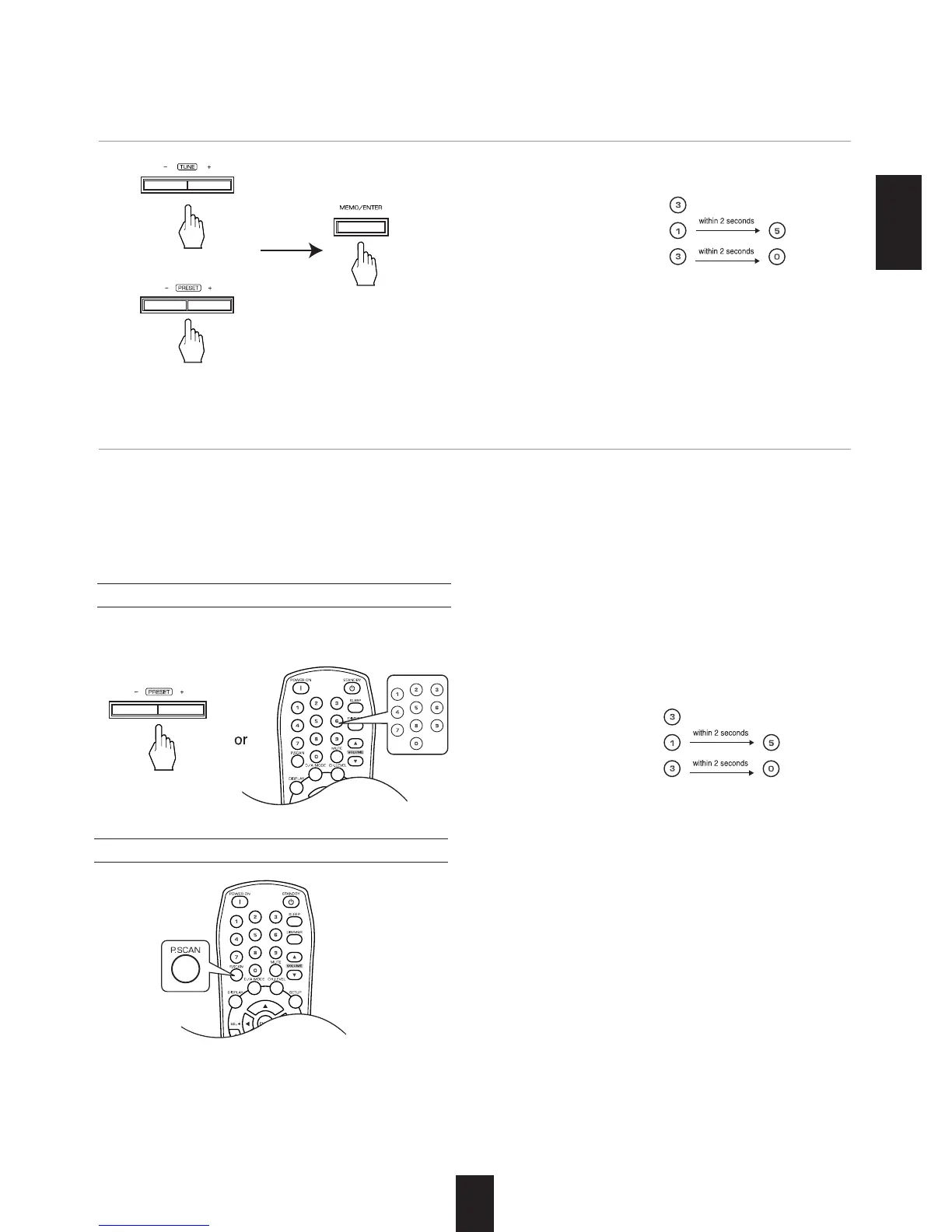
When using the NUMERIC buttons on the remote
control.
Examples) For “3”:
For “15”:
For “30”:
23
MEMORY BACKUP FUNCTION
The following items, set before the receiver is turned off, are memorized.
• INPUT SELECTOR settings
• Surround mode settings
• Preset stations,etc.
Scanning preset stations in sequence
Tuning to preset stations
3. Select the desired preset number (1~30) and press the (MEMORY/) ENTER button.
4.
Repeat the above steps1 to 3 to memorize other stations.
• The receiver will start scanning the stations in the
preset sequence and the tuned stations are received
for 5 seconds respectively and the other stations are
skipped.
• At the desired station, press this button again to
stop scanning.
When using the NUMERIC buttons on the remote
control.
Examples) For “3” :
For “15” :
For “30” :
The station has now been stored in the memory.
When using the NUMERIC buttons, the station is
stored automatically without pressing the
(MEMORY/)ENTER button.
A stored frequency is erased from the memory by
storing another frequency in its place.
If “MEM” goes off, start again from the above step 2.
• After selecting the tuner as an input source, select the desired preset number.
ENGLISH
Continued



 To Next Page
 Loading...