28
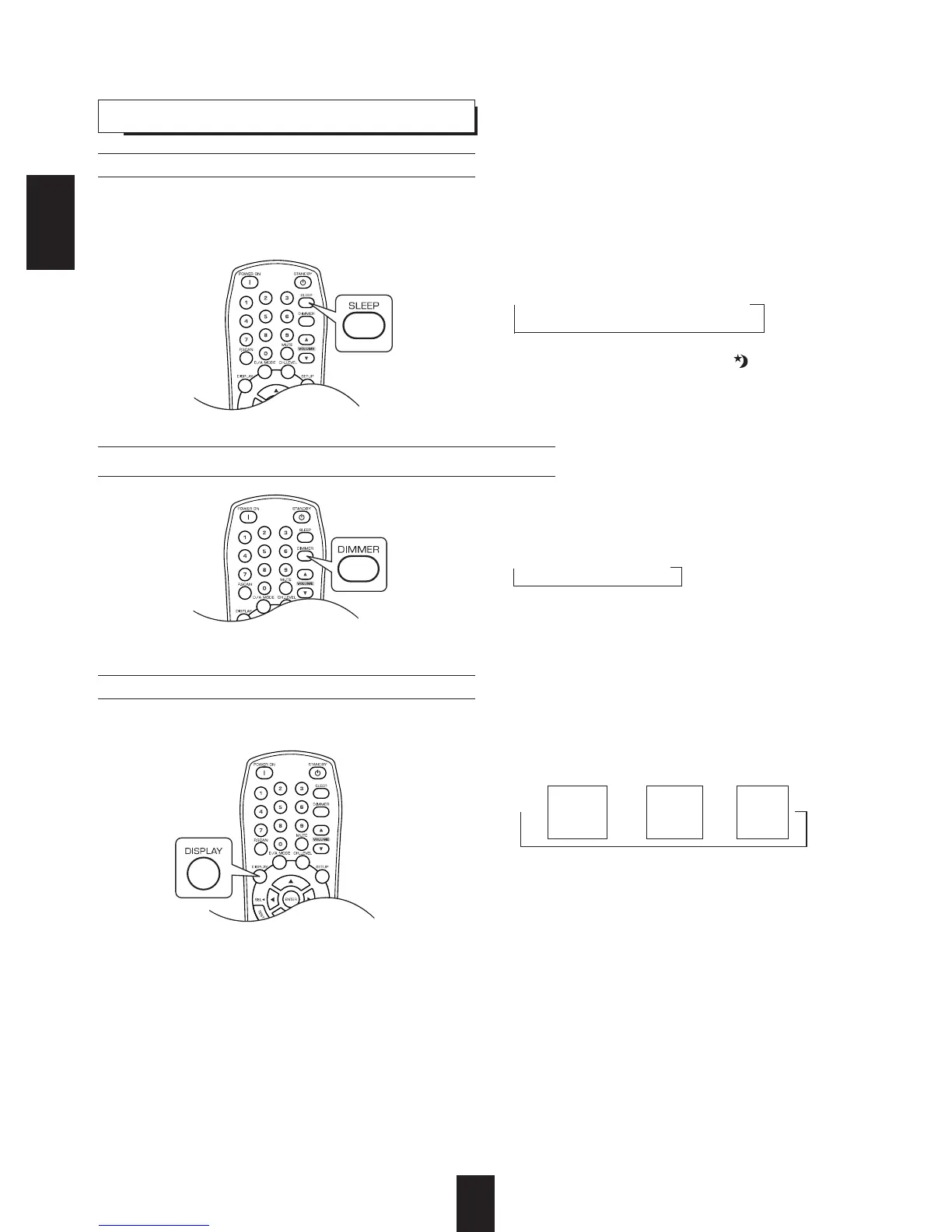
Operating the sleep timer
• The sleep timer allows the system to continue to operate for a specified period of time before automatically
shutting off.
• To set the receiver to automatically turn off after the specified period of time.
Adjusting the brightness of the fluorescent displays
OTHER FUNCTIONS
• Each time this button is pressed, the display mode
changes as follows:
• When the EXTERNAL IN is selected as an input
source, the surround mode is not displayed.
• When RDS tuner function is available in your
country, for details on the FM mode information,
see "DISPLAY" on page 25.
Displaying the operation status
Surround
mode
Volume
Input
source
• Each time this button is pressed, the sleep time
changes as follows:
10 20 30 --- 90 OFF
Unit : minutes
• While operating the sleep timer, " " lights up.
• When the sleep time is selected, all display panels
of Sherwood components connected by the DIGI
LINK III are dimly lit.
• Each time this button is pressed, the
brightness of all fluorescent displays of
Sherwood components connected by the DIGI
LINK III changes together as follows:
ON dimmer OFF
• In the display OFF mode, pressing any button
will restore the display ON mode.
ENGLISH
During playback,



 To Next Page
 Loading...