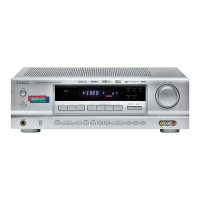
Manual presetting
• You can store up to 30 preferred stations in the
memory.
• "MEM" is flickering for several seconds.
1. Tune in the desired station with auto or
manual tuning.
2. Press the (MEMORY/) ENTER button.
22
LISTENING TO RADIO BROADCASTS
Auto tuning
• Each time this button is pressed, the band
changes as follows ;
FM ST FM MONO AM
("ST" lights up) ("ST" goes off)
• When FM stereo broadcasts are poor because of
weak broadcast signals, select the FM mono mode
to reduce the noise, then FM broadcasts are
reproduced in monaural sound.
• Manual tuning is useful when you already know the
frequency of the desired station.
• After selecting the desired band, press the TUNING
UP(+) / DOWN(-) buttons repeatedly until the right
frequency has been reached.
Manual tuning
• The tuner will now search until a station of sufficient
strength has been found. The display shows the
tuned frequency and "TUNED".
• If the station found is not the desired one, simply
repeat this operation.
• Weak stations are skipped during auto tuning.
1
. Select the desired band.
2
. Press the TUNING UP(+)/DOWN(-)
butttons for more than 0.5 second.
Auto presetting
• Auto presetting function automatically searches for
FM stations only and store them in the memory.
• While listening to radio broadcasts, press and hold
down the (MEMORY/) ENTER button for more than 2
seconds.
• Then "AUTO MEM" flickers and this receiver starts
auto presetting.
• Up to 30 FM stations can be stored.
Notes:
• FM stations of weak strength cannot be memorized.
• To memorize AM stations or weak stations, preform
"Manual presetting" precedure with using "Manual
tuning" operation.
ENGLISH



 To Next Page
 Loading...