ENGLISH
21
Memorizing the adjusted channel levels
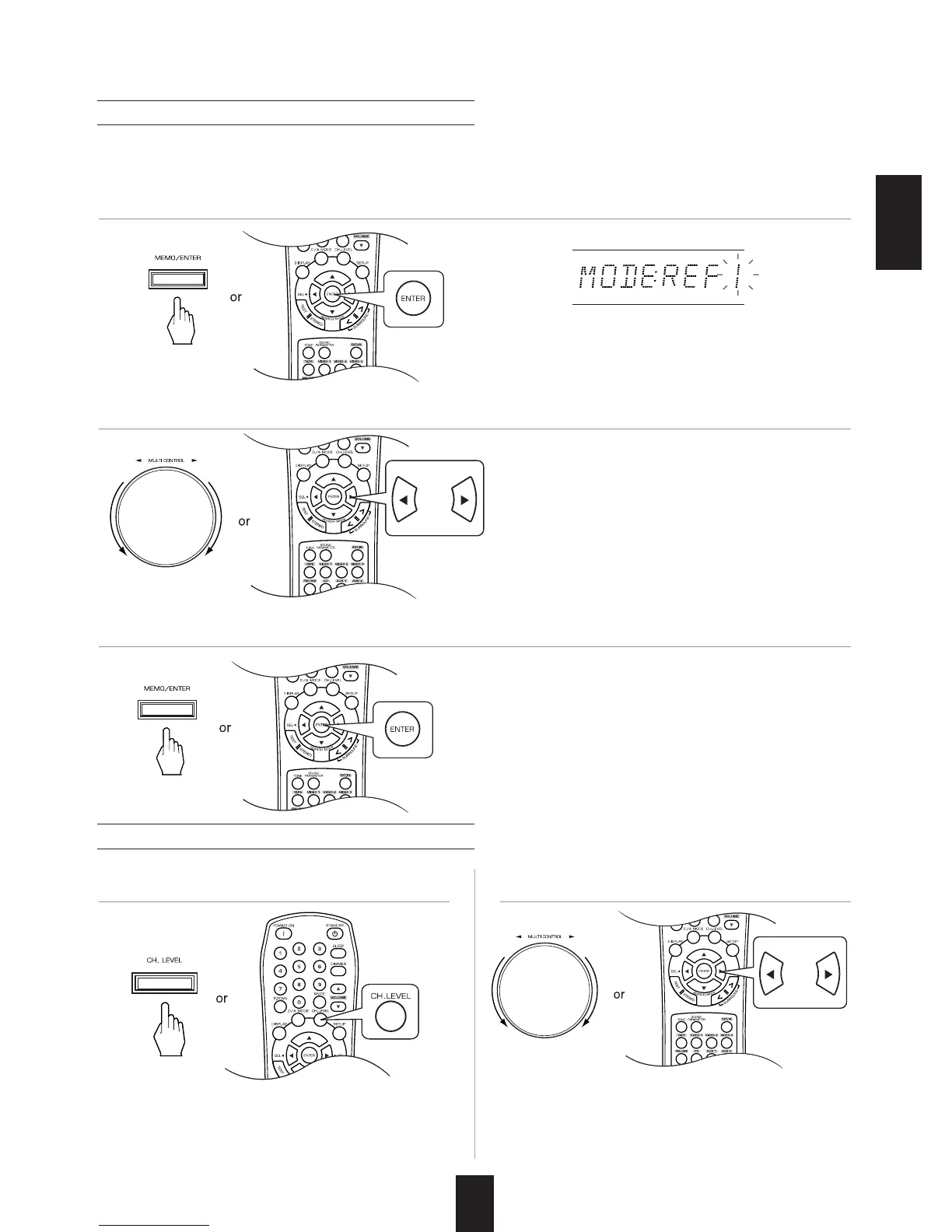
• The "1" of "REF 1" indication flickers for several
seconds.
• You can memorize the adjusted channel levels into preset memory("REF 1", "REF 2") and recall the
memorized whenever you want.
• "CAL " (or "REF 1", etc.) is displayed for several
seconds.
• If the channel level mode display disappears,
press this button again.
• The adjusted channel levels have now been
memorized into the selected memory.
• If the preset memory disappears, perform the
above step 1 again.
1. After performing the steps 1 ~ 4 in "Adjusting the current channel level" procedure on page 20,
press the (MEMORY/) ENTER button.
Recalling the memorized channel levels
• Then the channel levels memorized into the
selected preset memory are recalled.
2. Select the desired one of REF 1 and REF 2.
3. Confirm your selection.
1. Press the CHANNEL LEVEL button. 2. Select the desired one of REF 1 and REF 2.



 To Next Page
 Loading...