26
RECORDING
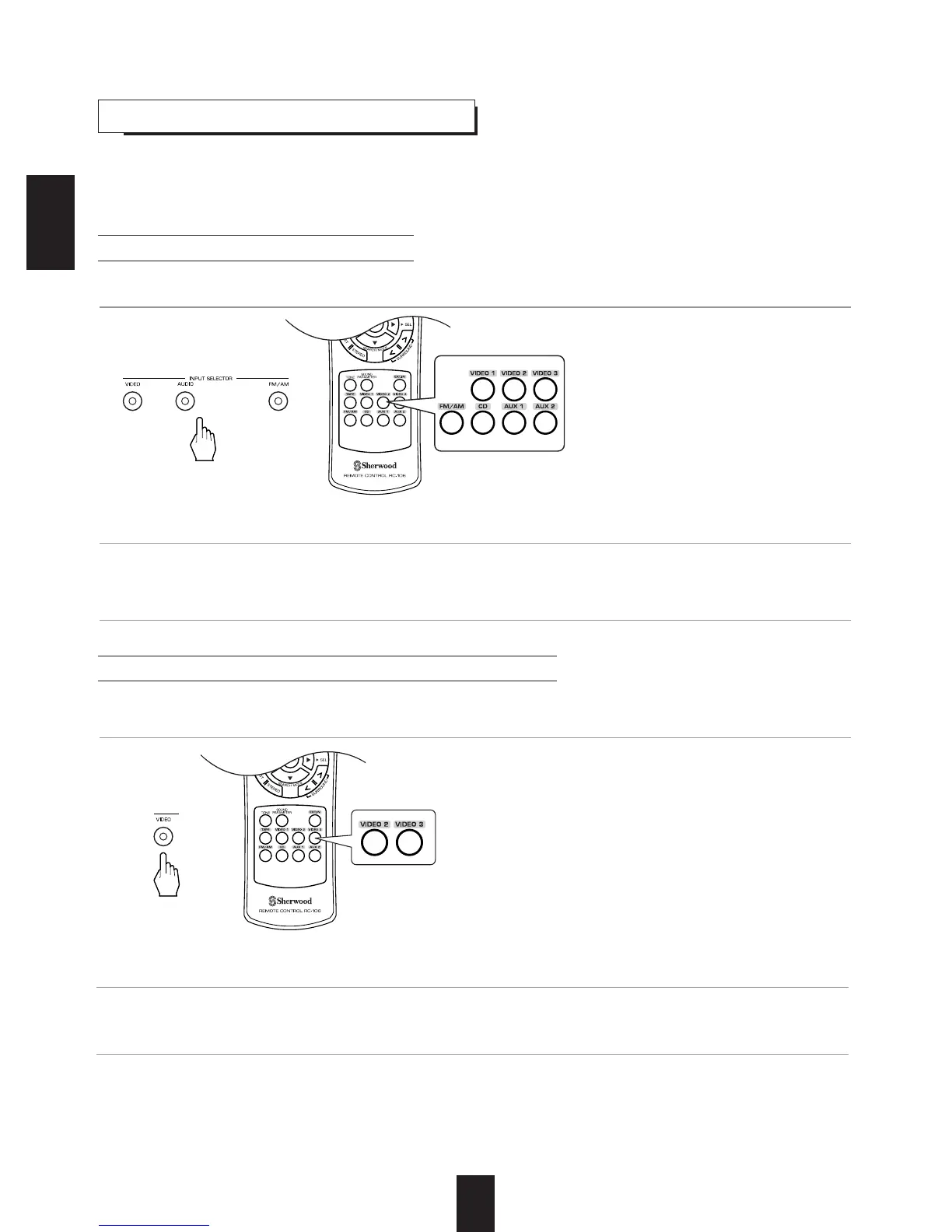
Recording with TAPE
Dubbing from video components onto VIDEO 1
• The audio and video signals from the desired input will be dubbed onto the VIDEO 1 and you can enjoy them
on the TV set and from the speakers.
• The analog signals from the EXTERNAL INs as well as the digital signals from the coaxial or optical digital input can be
heard but cannot be recorded.
• When recording the analog signals from CD, VIDEO 1~2, be sure to select the analog input.
(For details, refer to "When CD, VIDEO 1~2 is selected as an input source" on page 14.)
• The volume and tone (bass, treble) settings have no effect on the recording signals.
1. Select the desired input as a recording source except for TAPE.
1.
Select the desired of VIDEO 2 ~ 3 as a recording source except VIDEO 1.
2. Start recording on the TAPE.
2
. Start recording on the VIDEO 1.
3. Start play on the desired input.
3. Start play on the desired input.
ENGLISH



 To Next Page
 Loading...