Shimadzu AOC-20 3 Installation Procedure
3.2 Clarity Configuration
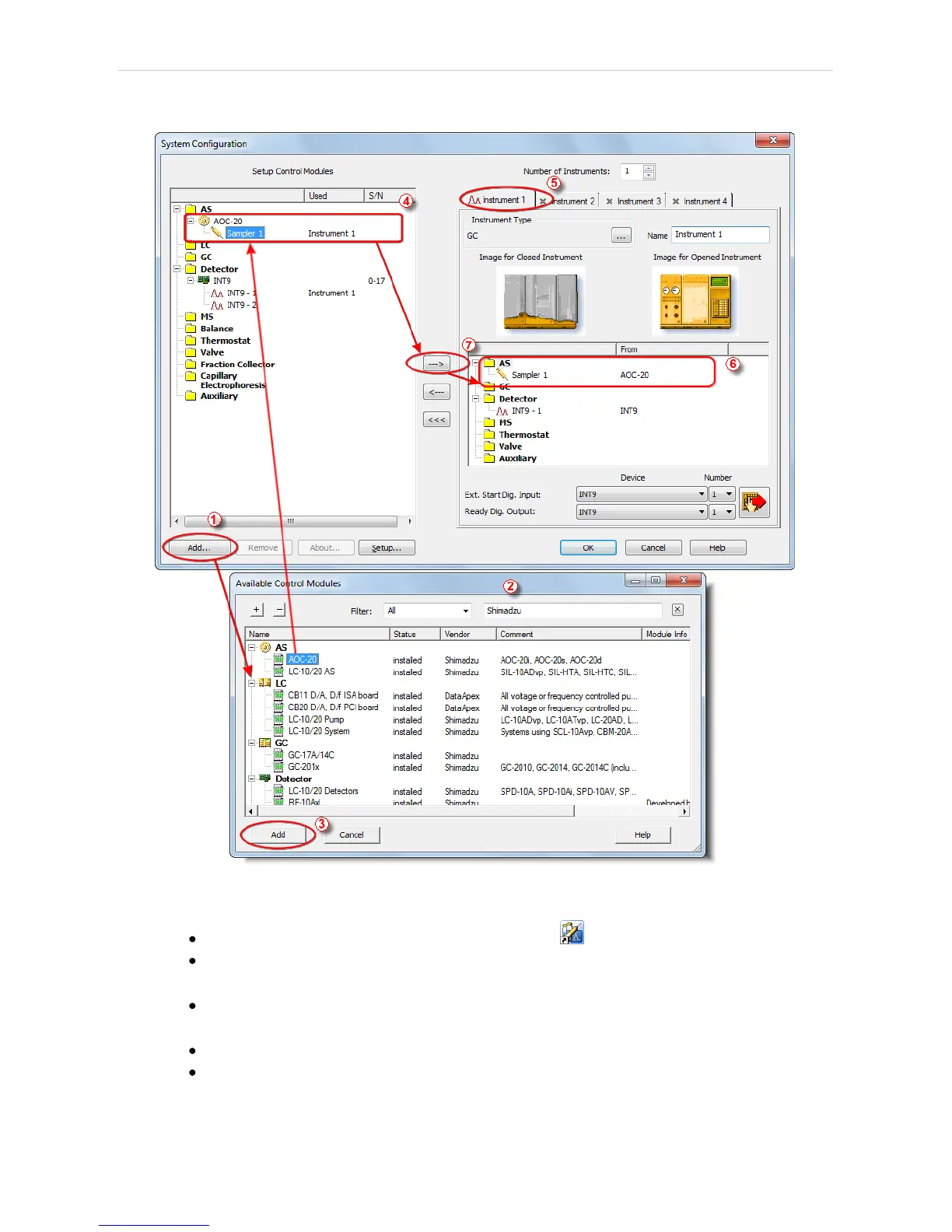
Fig 4: How to add Shimadzu AOC-20
Start the Clarity station by clicking on the icon on the desktop.
Invoke the System Configuration dialog accessible from the Clarity
window using the System - Configuration... command.
Press the Add button ① (see Fig 4 on pg 5.) to invoke the Available
Control Modules dialog.
You can specify the searching filter ② to simplify the finding of the driver.
Select the AOC-20 sampler and press the Add ③ button.
- 5 -



 To Next Page
 Loading...





